Vitals in the open
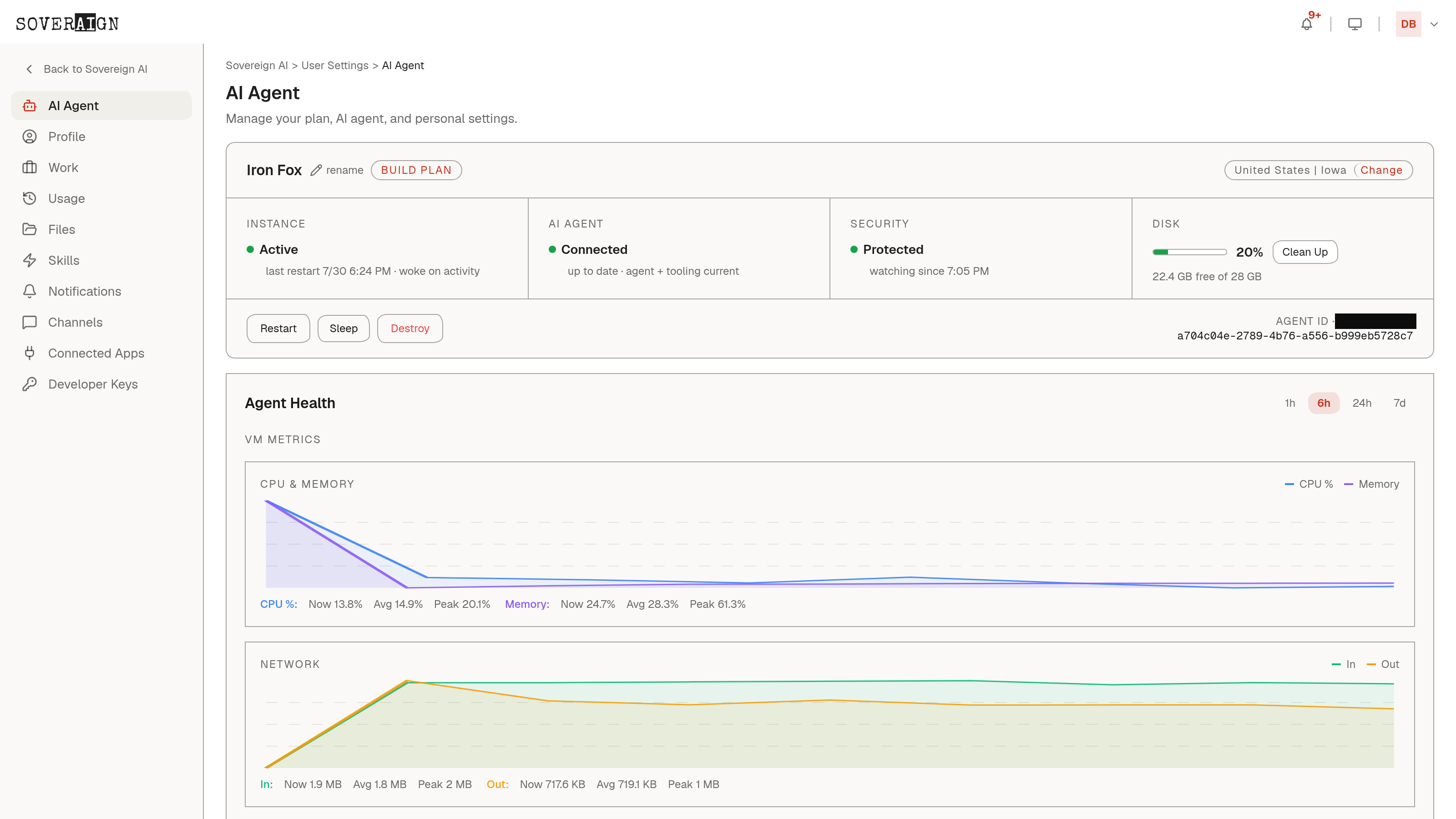
User Settings > AI Agent shows the instance itself: plan, the region it runs in (your data stays there), and live health. Instance active, agent connected, security protected, disk headroom, when it last restarted and why, and whether tooling is current. If your agent is slow or asleep, this page says so before you have to ask anyone.
Your usage, only yours
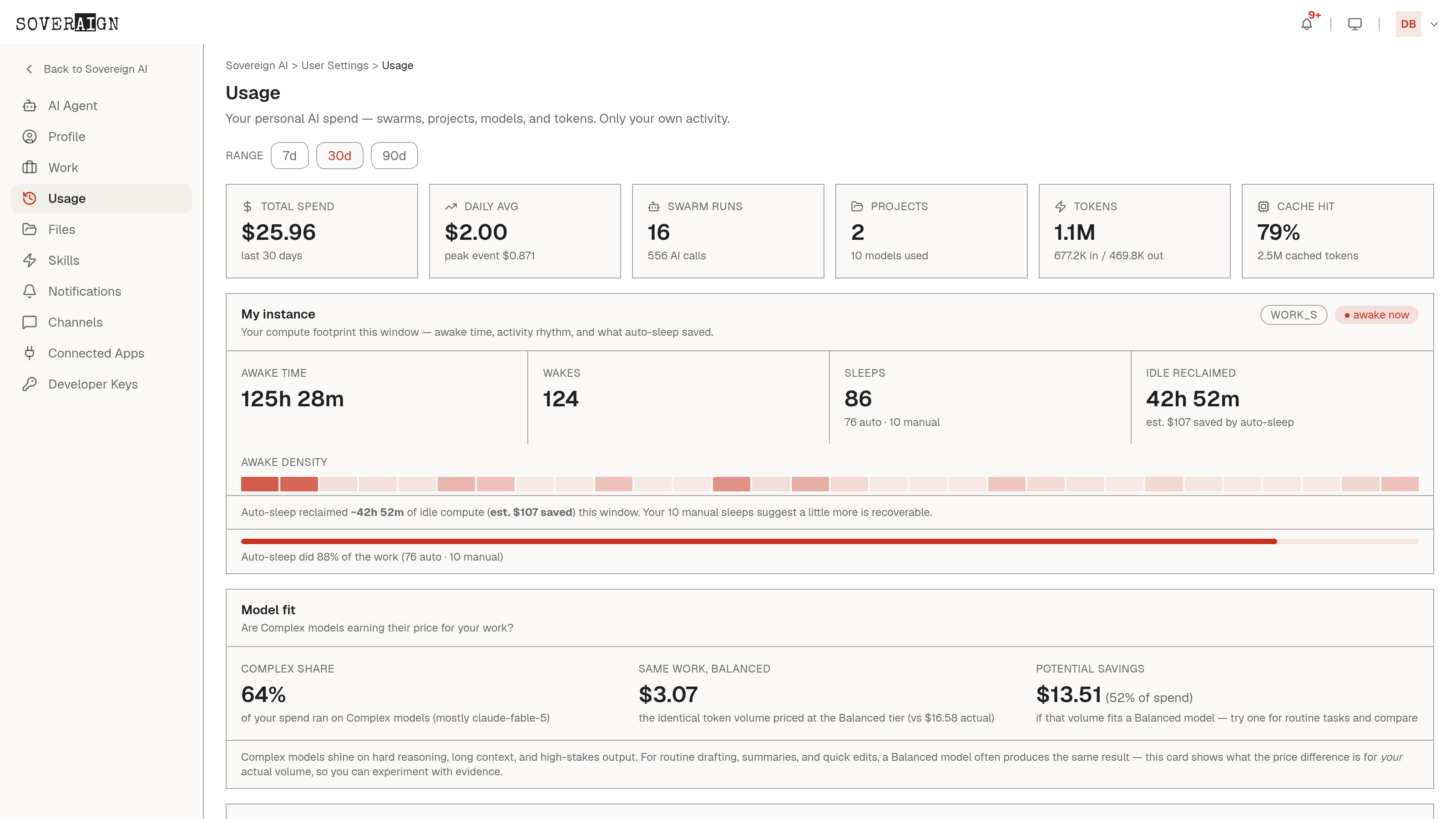
User Settings > Usage is the personal ledger: your spend over 7, 30, or 90 days, daily average, swarm runs, projects, token volume in and out, and cache hit rate. It is the same transparency the org gets on the Spend pages, scoped to one person: you.
The rest of the rail is yours too: personal skills, files, notification preferences, connected apps, and developer keys for your own integrations.