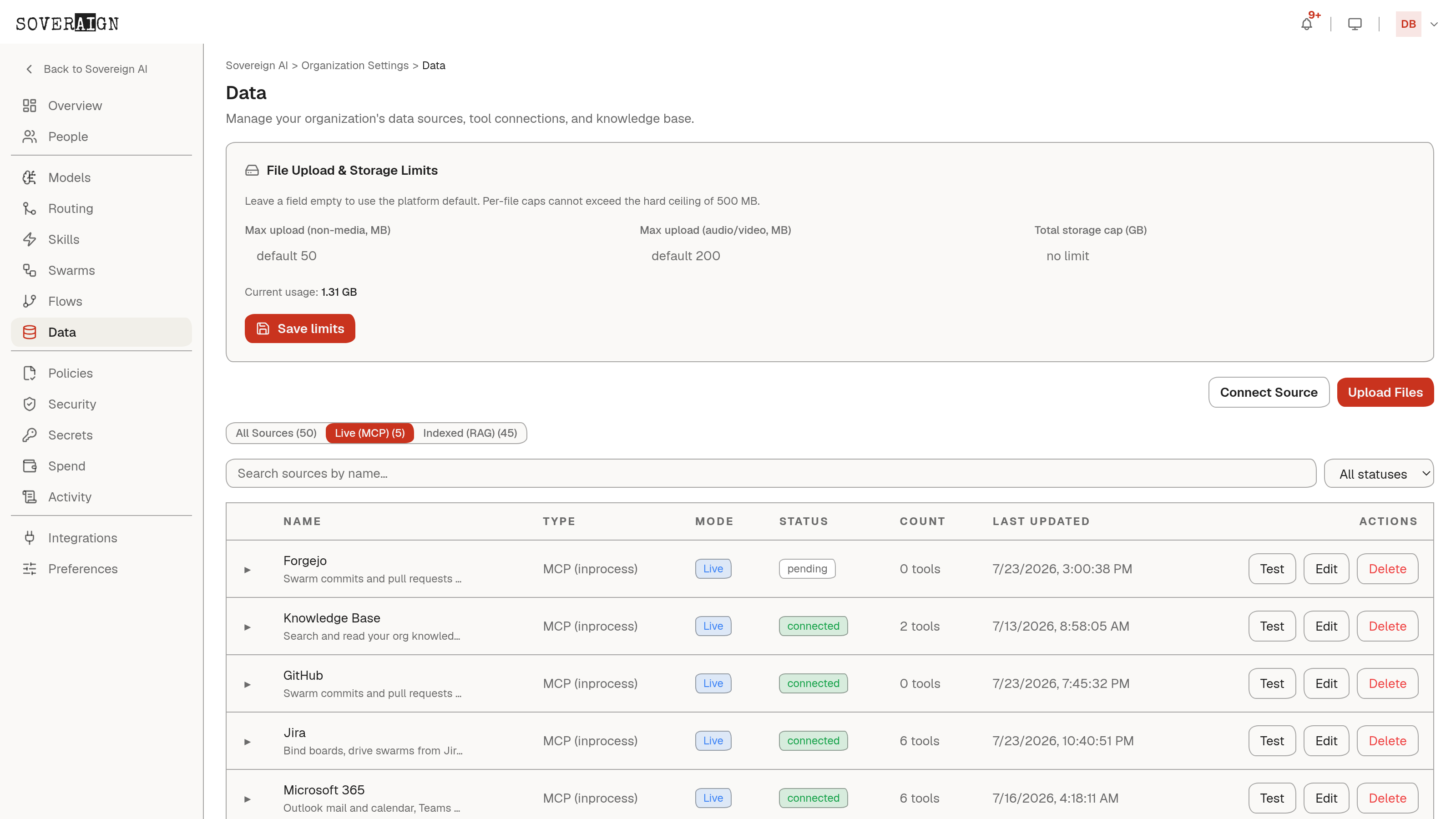
Add an MCP server from Organization Settings > Knowledge & Data > Connect Source. MCP rows carry the Live mode badge: they are a bridge queried at request time, not an indexed copy, so what agents see is always the server's current state.
Transports
- →HTTP/SSE: Server-Sent Events transport, pointed at a URL.
- →Streamable HTTP: HTTP with streaming support.
- →Stdio: runs a local process via stdin/stdout. Restricted to platform admins because it spawns a process on platform infrastructure, and the executable is additionally limited to an allowlist of interpreters.
Configuration and testing
Each connection takes a name, an optional description, an auth token, environment variables, and a timeout. Secrets are encrypted in a credential vault on save; the connections list never returns them, only status and metadata.
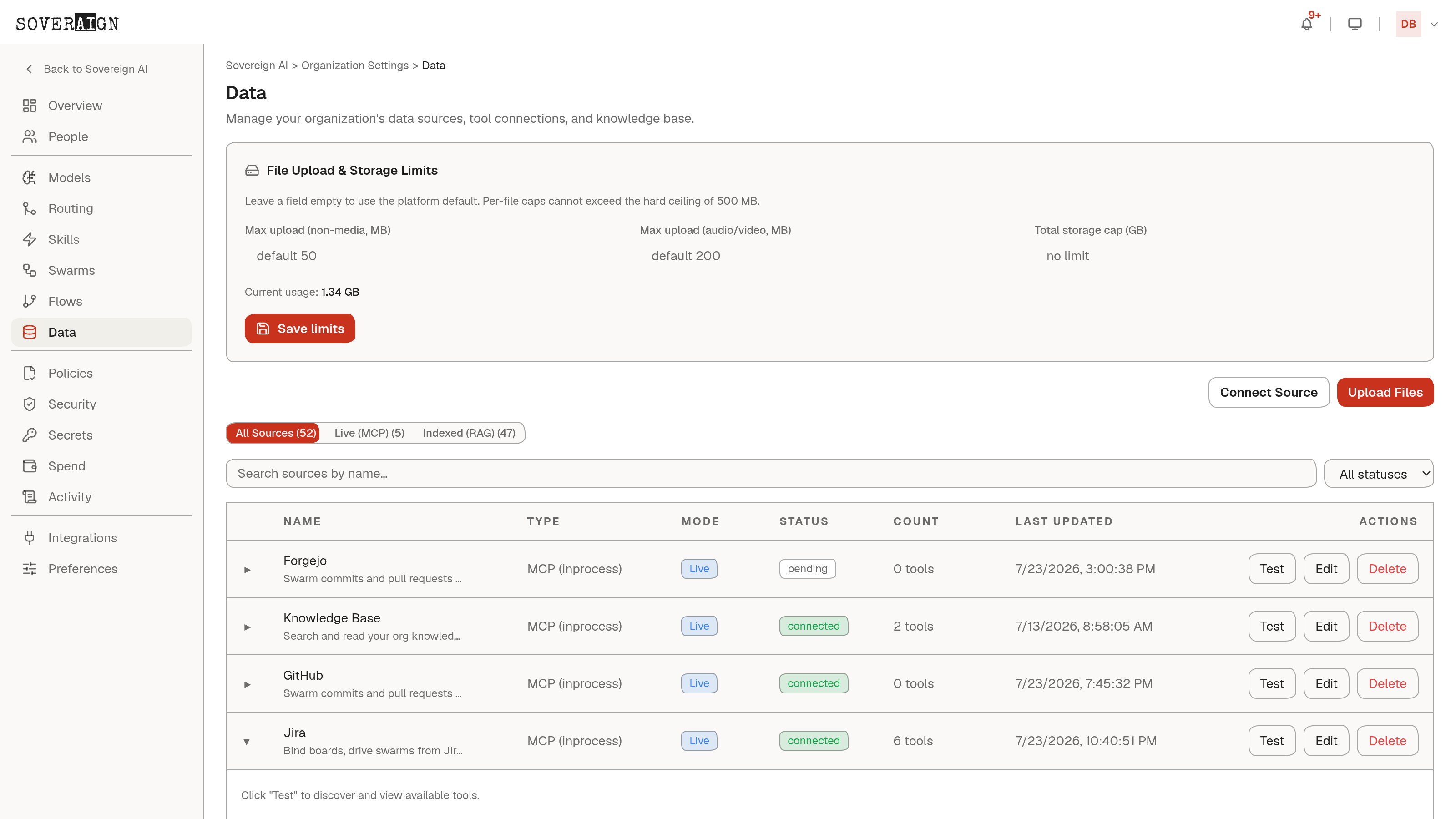
On create and update the platform connects to the server and discovers its tools, storing each tool's name and description and stamping the connection's tool count. Use Test on a row any time to re-run discovery: it reports the server info and the full tool list, and refreshes the health check. Expand a row to browse Discovered Tools inline; if none are cached yet, the row tells you to click Test.
Status and failure
Rows show one of three states: connected, failed, or disabled, plus the last health check time. A failed connection keeps its row and its status message (the server's actual error) so you can fix credentials or endpoints without re-creating the connection. Tool counts persist across restarts; discovery only reruns on save or Test.
Who can do what
Any org member can view the connection list. Creating, editing, testing, and deleting connections requires org admin or above. You can scope a connection to specific access groups so only those members' agents can use its tools.
Tool-level permissions for catalog apps (always allow, needs approval, blocked) are managed on Connected Apps, not here.