Open the modal
Press Run Swarm in the top bar of the Build surface. The Launch Swarm modal opens with a one-line promise at the top: a team of AI agents that plans, builds, and proves its work against your criteria before calling it done. Everything below it exists to make that promise enforceable.
- 1Pick the Target Project. A project with a repository gets a code-delivery crew that can branch, commit, and open a pull request; a repo-less project gets a document crew. Archived projects are not valid targets.
- 2Write the brief: the outcome you want, in plain language, the way you would brief a contractor. Attach images if they help.
- 3The Improve button works here too. It asks clarifying questions and rewrites the brief with your answers baked in. It matters more here than in chat: every agent in the swarm inherits this brief.
Compose the crew
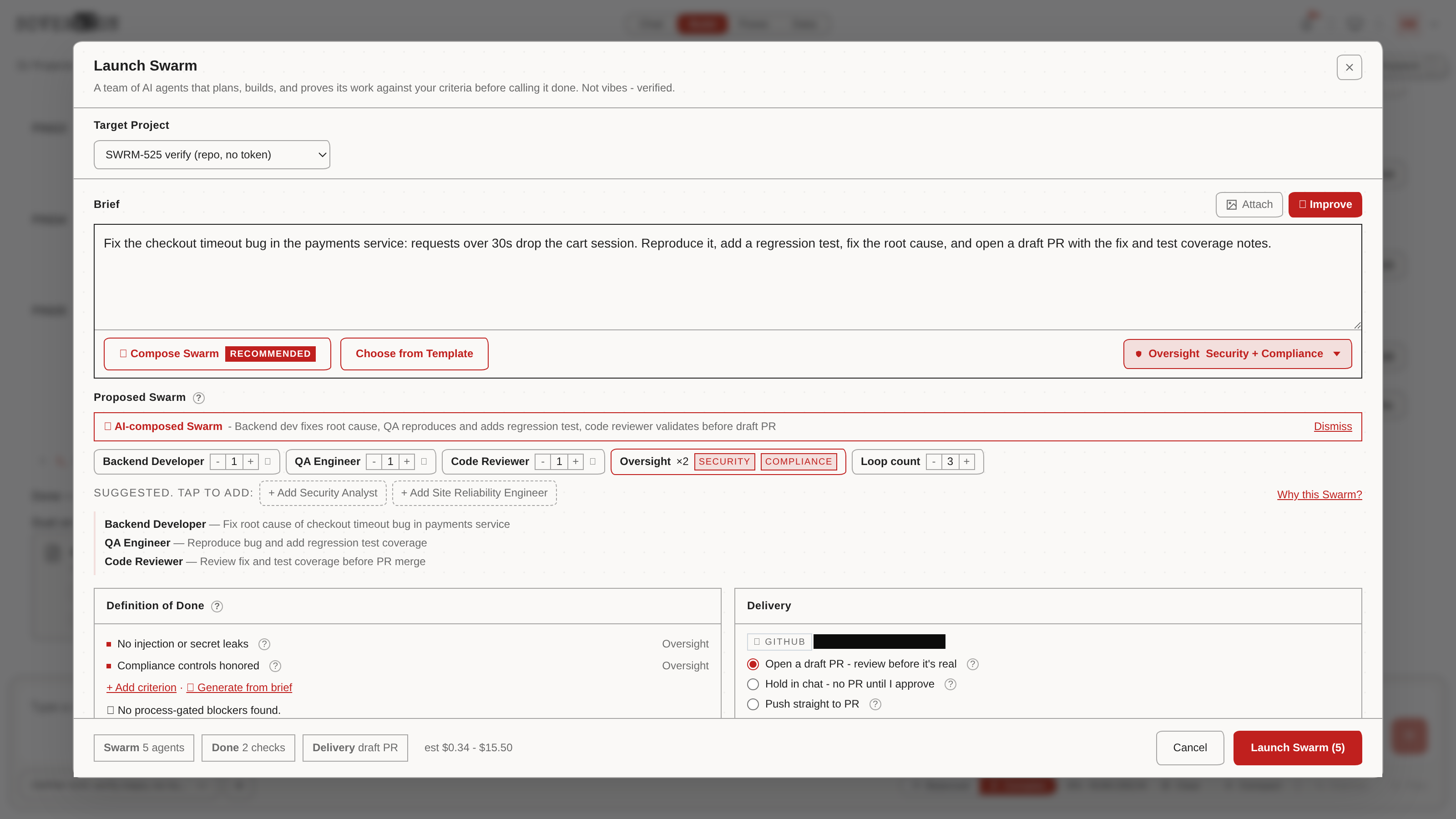
Press Compose Swarm, the recommended path. The composer reads your brief plus the target project context and proposes a crew in seconds: role chips with a stated reason for the team, count steppers on each role, a remove control, and a Suggested row of optional roles you can add with one tap. A loop count sets how many build-review cycles the team gets.
For the checkout-bug brief above, it proposed a Backend Developer to fix the root cause, a QA Engineer to reproduce the bug and add the regression test, and a Code Reviewer to validate before the draft PR - with a Security Analyst and Site Reliability Engineer suggested as optional seats.
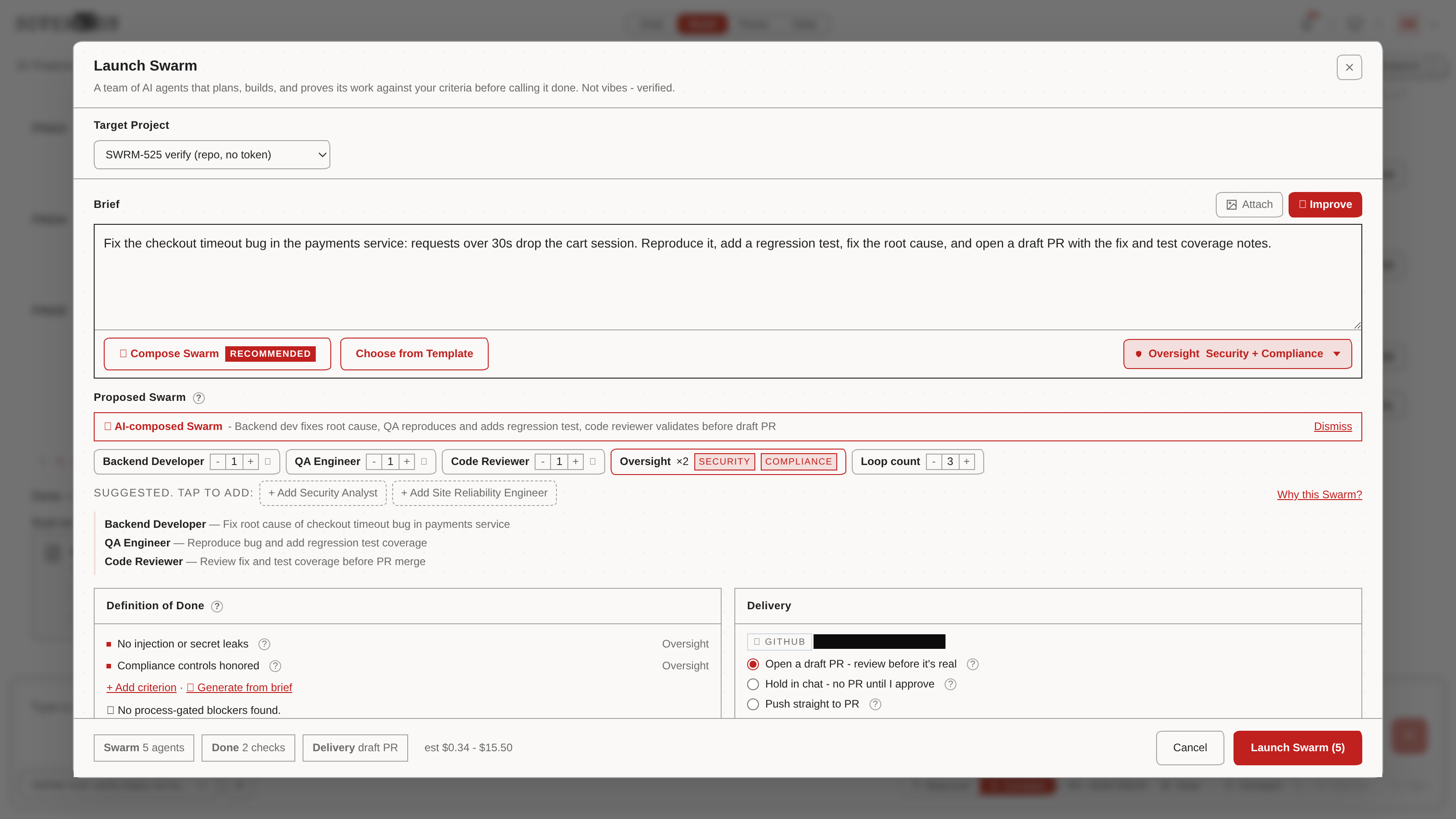
Oversight rides along by default, scoped to Security + Compliance from the dropdown next to Compose. Those are real seats on the crew, not a checkbox: they add two agents to the count and append their own criteria to your Definition of Done, like no injection or secret leaks. Drop Oversight deliberately or not at all.
Or start from a template
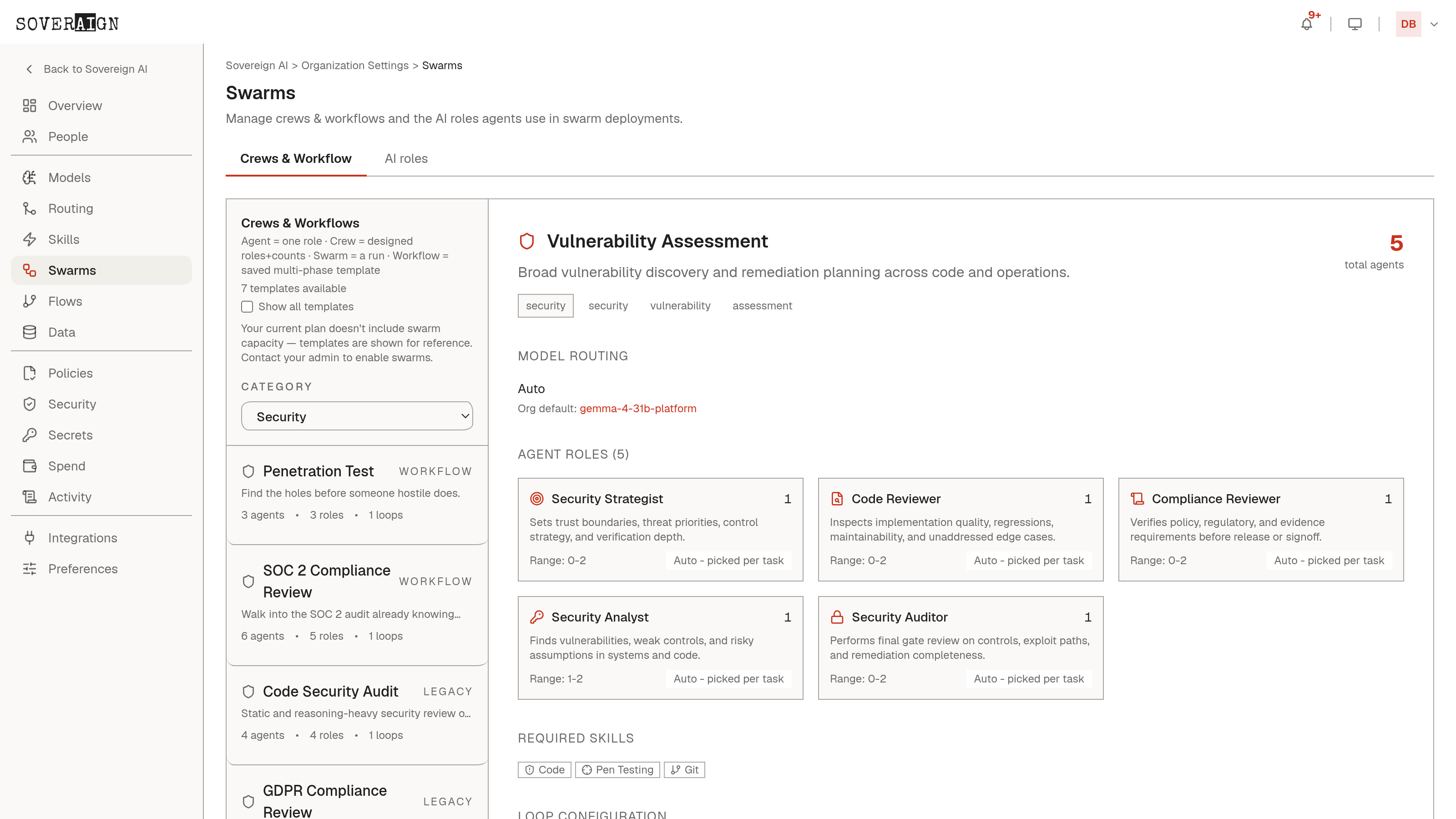
Choose from Template opens the catalog, organized as a ladder by team size: Solo (Quick Fix, Writer, Analyst), Pair (Basic Coding, Write + Edit, Build + Check), Squad (General Software Task, General Analysis), and specialist multi-phase Workflows: Full-Stack Web App, Dependency Upgrade Discovery and Verify, Bug Fix, Code Refactor, Database Migration, Incident Response Playbook, Penetration Test, SOC 2 Compliance Review, UX Audit, Feature Specification, Architecture Decision Records. Filter by type or search. A composed crew and a template crew get the same phase machinery; neither is a shortcut around governance.
Say what done means
The Definition of Done panel is the contract the run is judged against. Oversight criteria arrive tagged with their owner; add your own with Add criterion or let Generate from brief draft them. Below the criteria sits the choice that gives them teeth, the review strategy:
- →Proof Rotation (recommended): rotating agents verify each other's work against your criteria before done is done.
- →Single review pass: one independent reviewer checks the work once.
- →None - build only: no verification, and the receipt flags your criteria as UNVERIFIED. Criteria without review are promises nobody checks.
- →Advanced strategies behind the disclosure: Red / Blue Team, Debate Consensus, Escalation Ladder, Regression Guardian.
Choose how it ships
The Delivery panel shows the wired GitHub repo and three ways for the work to land:
- →Open a draft PR - review before it's real: branch off the base, draft PR carrying the brief and each Done criterion with its proof. CI runs; nothing merges until you promote it.
- →Hold in chat - no PR until I approve: work lands on a private hold branch, and the result card in chat offers Push as draft PR, Ask for changes, or Discard.
- →Push straight to PR: for teams that want the artifact immediately.
General settings cover in-app notification, and the advanced disclosure sets base branch and PR title. Repo-less projects skip all of this and deliver documents to the project.
Read the receipt, then launch
The footer is a receipt that reflects what you actually configured: Swarm with the agent count including Oversight seats, Done with the number of checks and the strategy that verifies them, Delivery mode, and an estimated cost as a low-to-high range. The estimate is priced per role on each seat's assigned model from the live catalog; self-hosted models price at zero because you run the hardware. The range is honest because real agents loop through more tool turns than any model predicts. Launch Swarm stays disabled until a team exists.
Composing the crew for this walkthrough changed the receipt from 2 agents at $0.05-$0.51 to 4 agents at $0.09-$1.35 in real time. The receipt moves when the team does; nothing is priced behind your back.
The plan gate
Launch does not mean charge ahead. The swarm plans first, and the plan waits at the gate for your approval, the same Accept, Revise, Reject decision you know from chat. Revise sends your comments back for a redraft. Nothing bills and nothing builds until you accept.
Build, review, gate
An accepted swarm runs in three phases: build the deliverable, review and refine it, then a final quality gate where a judge scores the work against your Definition of Done. The gate is enforced by the system, not by trust. If the work fails the gate, you get the reasons in plain language, with the reviewer detail one click away, and the swarm can take another pass.
Progress, agent activity, and outputs land in your project as it runs. Every agent operates under the same content policy and audit trail as your own chat; there is no ungoverned lane.
When it lands
- →Repo projects: a branch and a pull request, or a hold branch awaiting your call, per your delivery choice.
- →Repo-less projects: documents delivered to the project, ready to open in the Workspace.
- →Either way: a run record of who did what, which models were used, and what it cost.