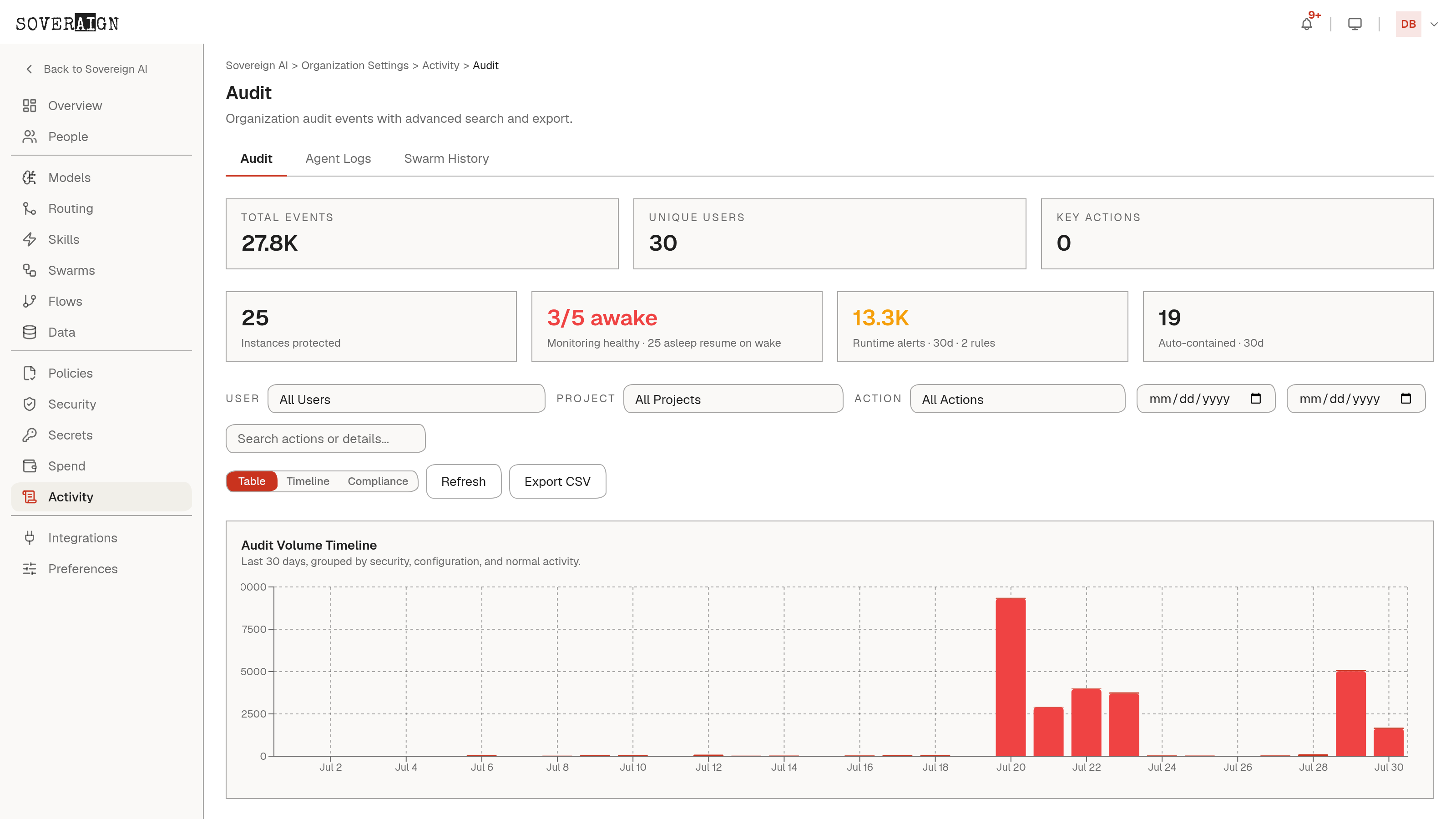
Open Organization Settings > Audit. Events include user invites and removals, role changes, API key creation and deletion, secret access, spending cap changes, and settings updates. Security-sensitive actions are color-coded in the list, and each row expands to show its recorded detail values.
Filtering
Filter by action, user, project, actor type, target type, target ID, request ID, date range, or free-text search. The action filter learns from your data: actions seen in your org's events join the static list. Results paginate 25 per page. When an incident happens, this granularity lets an admin isolate exactly who did what without exporting the whole log first, cutting investigation time.
Views
- →Table: the raw event list with expandable detail values.
- →Timeline: daily event volume charted over the filtered window, grouped by day.
- →Compliance: events grouped by category (Authentication, Data Access, Configuration, Security, Operations) for review workflows. Authentication and Security open expanded by default.
Export
Click Export CSV to download the filtered result set. Large exports are queued as a background job and you get a job ID to track; small exports download immediately.
Agent Logs
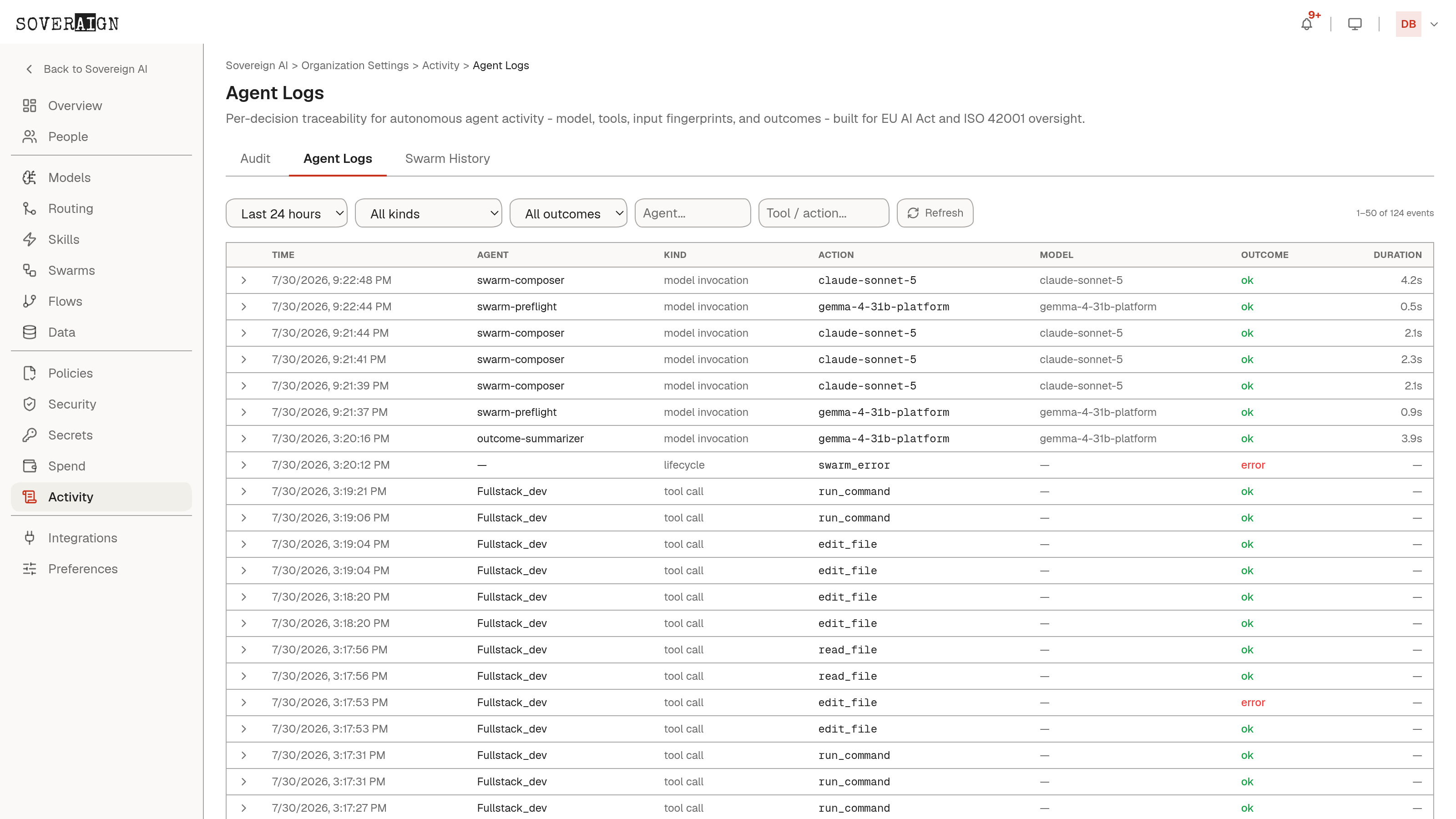
Audit covers admin and configuration changes. Organization Settings > Agent Logs extends that coverage down to the agent-execution layer: per-action traces recording timestamp, actor, model and version, inputs, and outcome for every tool call and decision, plus human-in-the-loop records capturing who approved an external action and when. It is built for EU AI Act and ISO 42001 oversight, filters by agent, model, project, tool, or time window, and streams agent-decision events to your SIEM over the audit webhook bridge.
Retention and legal hold
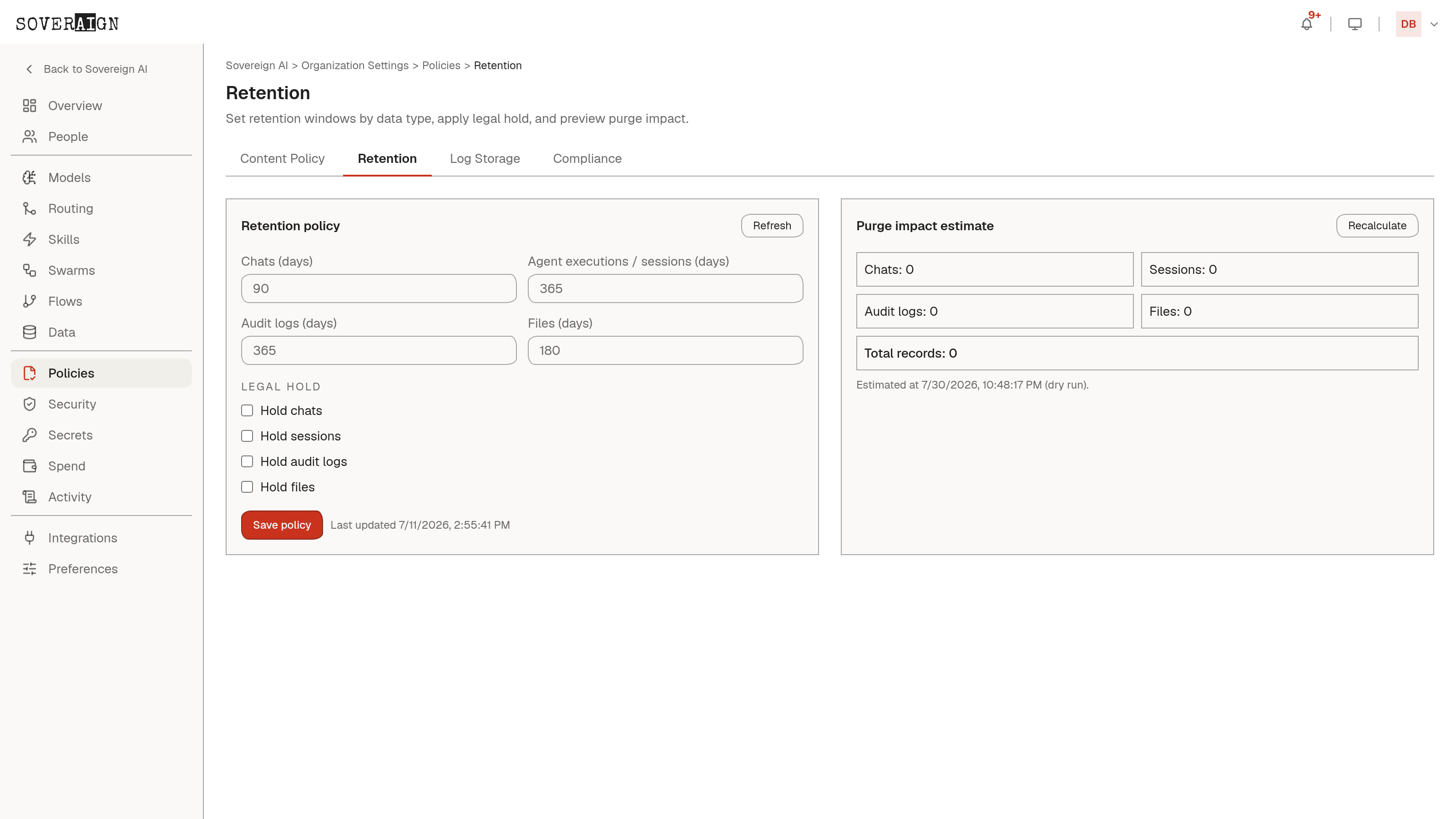
Organization Settings > Policies > Retention sets how long each data type lives: chats, agent executions and sessions, audit logs, and files each get their own window in days. A Legal Hold switch per data type suspends purge for that type regardless of its window, for exactly the moment a matter demands you keep everything. Before saving a shorter window, Recalculate runs a dry-run purge impact estimate - record counts per type, as of right now - so a retention change is never a guess about what it will delete.
Log storage and SIEM export
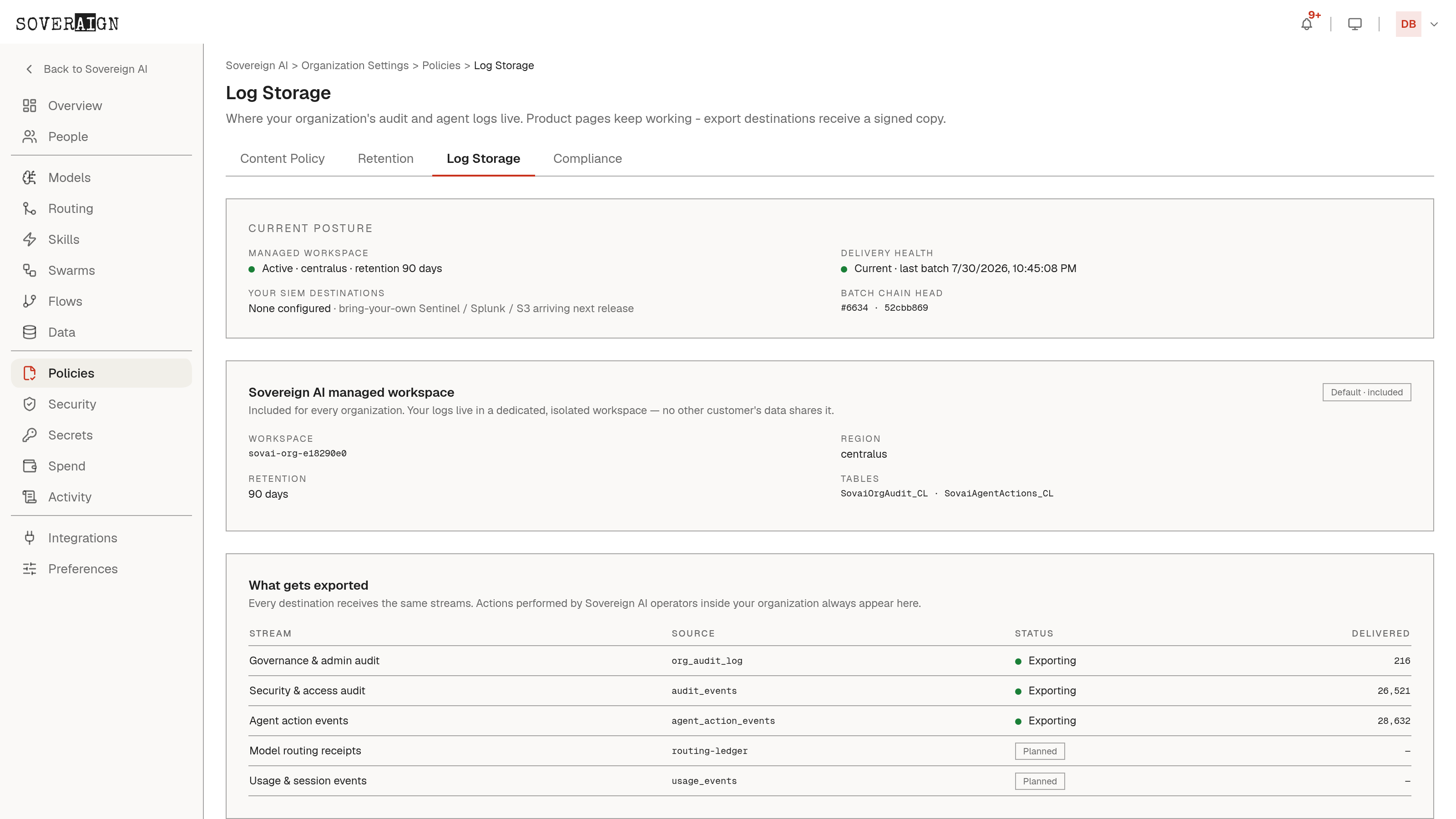
Organization Settings > Policies > Log Storage shows where your audit and agent logs actually live: a managed, isolated workspace included for every organization, region-pinned, with its own retention and its own tables. No other customer’s data shares it. Below that, a per-stream export table shows what leaves the platform: governance and admin audit, security and access audit, and agent action events, each with a live delivered count and a status of Exporting or Planned. Bring-your-own SIEM destinations (Sentinel, Splunk, S3) are announced on the page as arriving in a future release; today, product pages keep working exactly as before, and every configured destination receives a signed copy of the same streams.
Compliance reporting
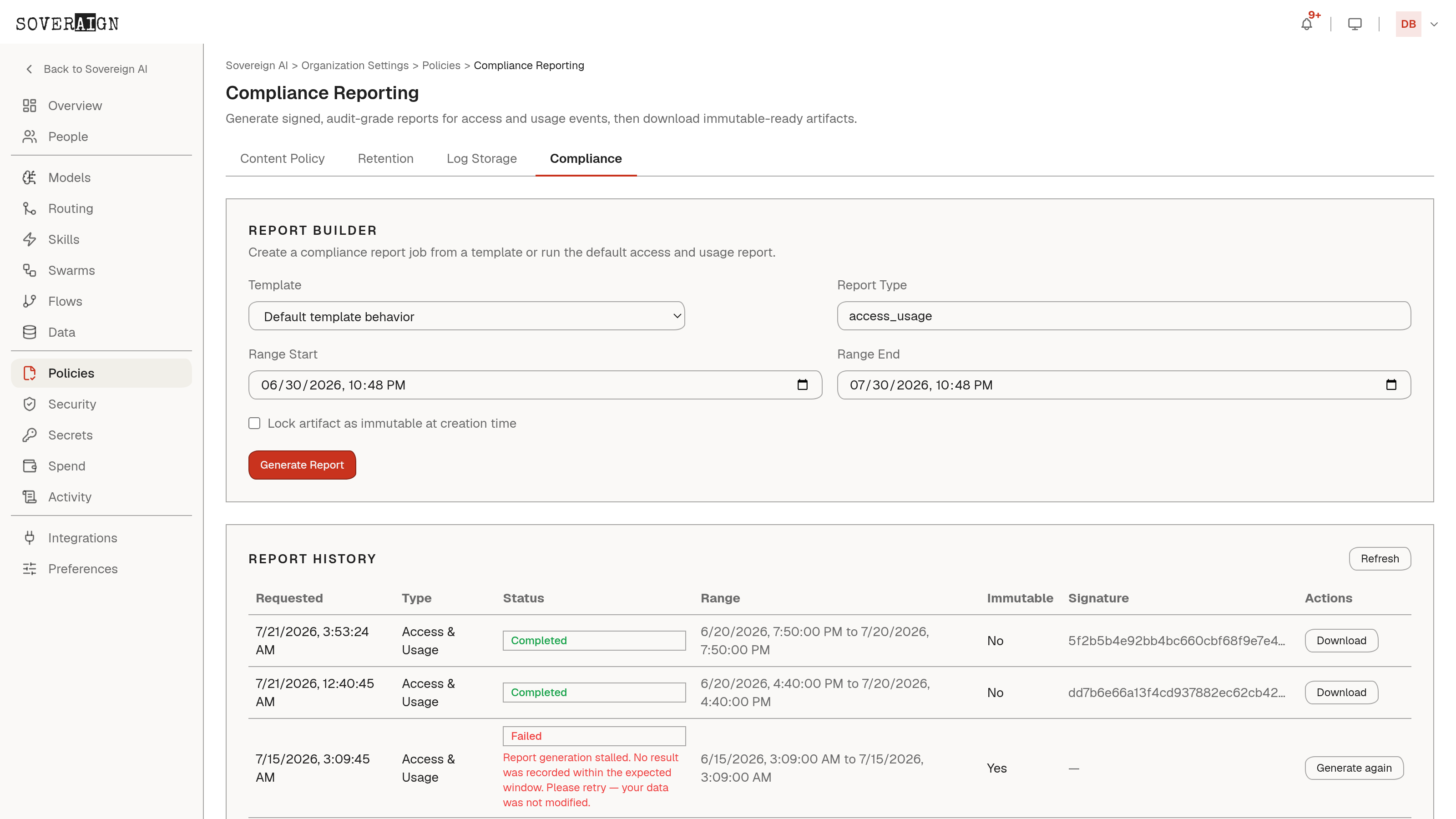
Organization Settings > Policies > Compliance builds signed, audit-grade reports for access and usage events. Pick a template - Access & Usage, Data Protection, or Security Posture - set a date range, and optionally lock the artifact as immutable at creation time so it cannot be altered after the fact. Report History lists every run with its status, range, immutability, and signature; a failed run states plainly that generation stalled and your data was not modified, with a one-click Generate again rather than a silent retry.
Agent Logs carries a Preview badge: the page describes functionality that is rolling out. Live admin and compliance evidence is available today under Audit, Retention, Log Storage, and Compliance.