The palette
Drag nodes from the toolbar and connect them with edges. Each node edits inline. Changes stay local until you save, and the editor warns before you leave with unsaved work. Every node is a bounded, typed operation instead of arbitrary code, which is precisely what makes a flow reviewable by someone who did not write it and closes off the shadow code paths an open scripting surface would otherwise invite.
- →Trigger: how the flow starts. Manual, Schedule (cron expression, timezone, and a spend cap in USD), or Event (a stable webhook URL plus a signing secret you can reveal, rotate, and exercise with Send test event).
- →Crew: runs a saved Swarm Config. Agent: a single-role executor with its own instruction.
- →Swarm: configures a swarm inline on the node itself: loops, model, success criteria, and the instruction, no saved config required.
- →Decision: branches on run state with True and False edges, using operators for equals, not equals, is present, is absent, greater than, less than, greater or equal, less or equal, and contains.
- →Loop: repeats a body chain via explicit body and exit targets, a bounded iteration count, and an optional exit condition on a state key so it can run until a result is met.
- →Set Variable and Echo: write one value into run-scoped state, or render an interpolated message into the trace. Producer nodes such as Crew, Agent, Swarm, HTTP Request, and GitHub can publish their outputs into state for downstream decisions.
- →HTTP Request and GitHub: call external APIs, or act on repositories and issues.
- →Human: pauses the run fail-closed until a person approves. Report: produces a document.
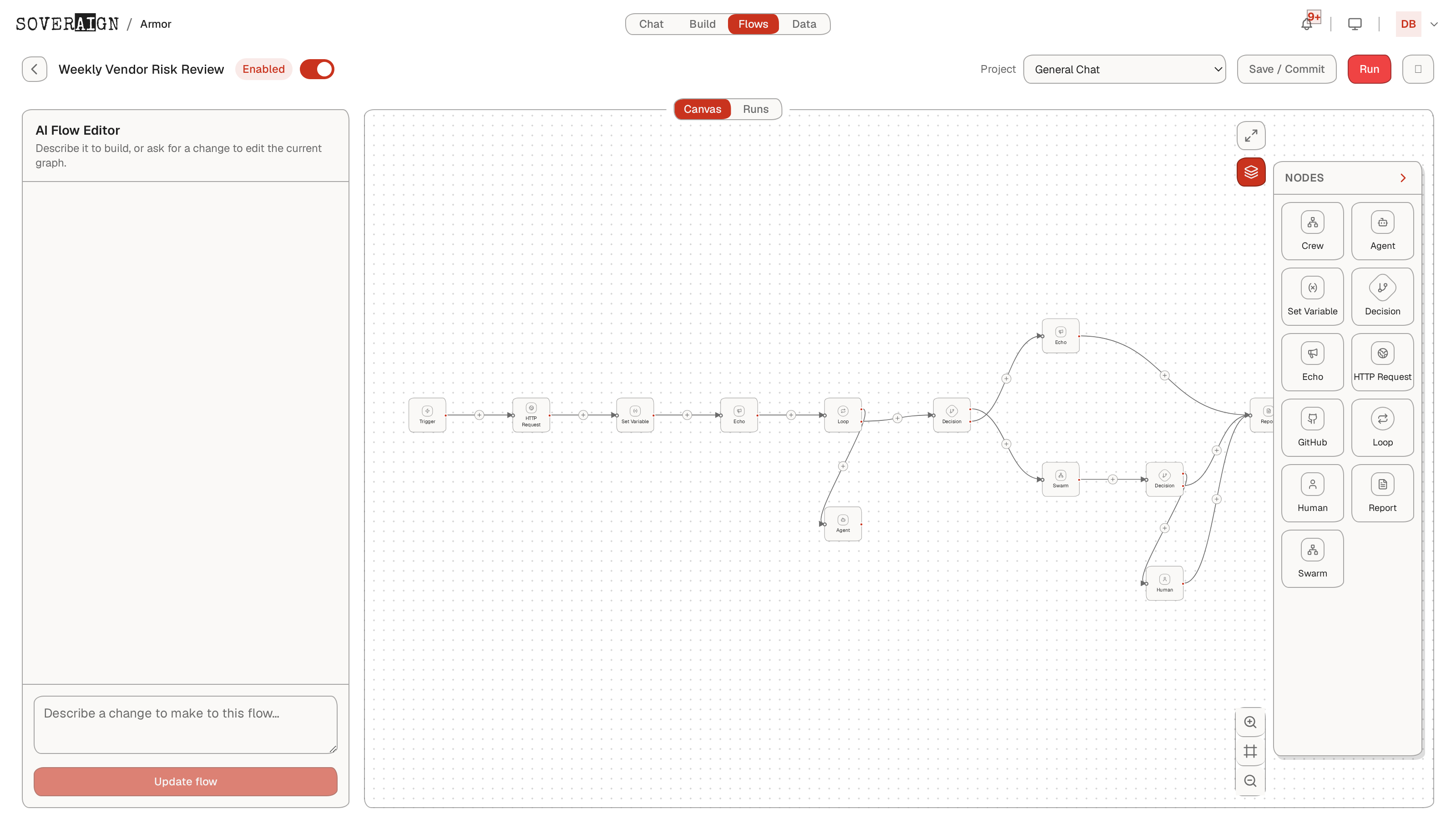
Loops are bounded on purpose
A loop always has a body target, an exit target, and a maximum iteration count. Without an exit condition it runs the requested count; with one, the body runs at least once and repeats until the condition is met or the cap is reached. A misconfigured loop fails the run rather than improvising. Human and Decision nodes are not allowed inside a loop body: a gate that cannot durably pause would silently wave work through, so the runtime fails closed instead.
The flow needs a project
Swarm and Crew steps run against a project, set once on the flow or per node. The editor warns at authoring time when a dispatching step has no project or a Crew step has no attached config, quoting exactly what will fail at run time. The warning is advisory; the server enforces the same rules on execution.
AI Flow Editor
The left rail hosts a builder chat: describe the automation and the platform generates a flow definition onto the canvas, or updates the one you are editing. Generated output goes through the same server-side validator as hand-built flows, and the editor distinguishes a model failure from a generated flow that validation rejected. Edit the result by hand from there; generation is a starting point, not an authority.
Running and licensing
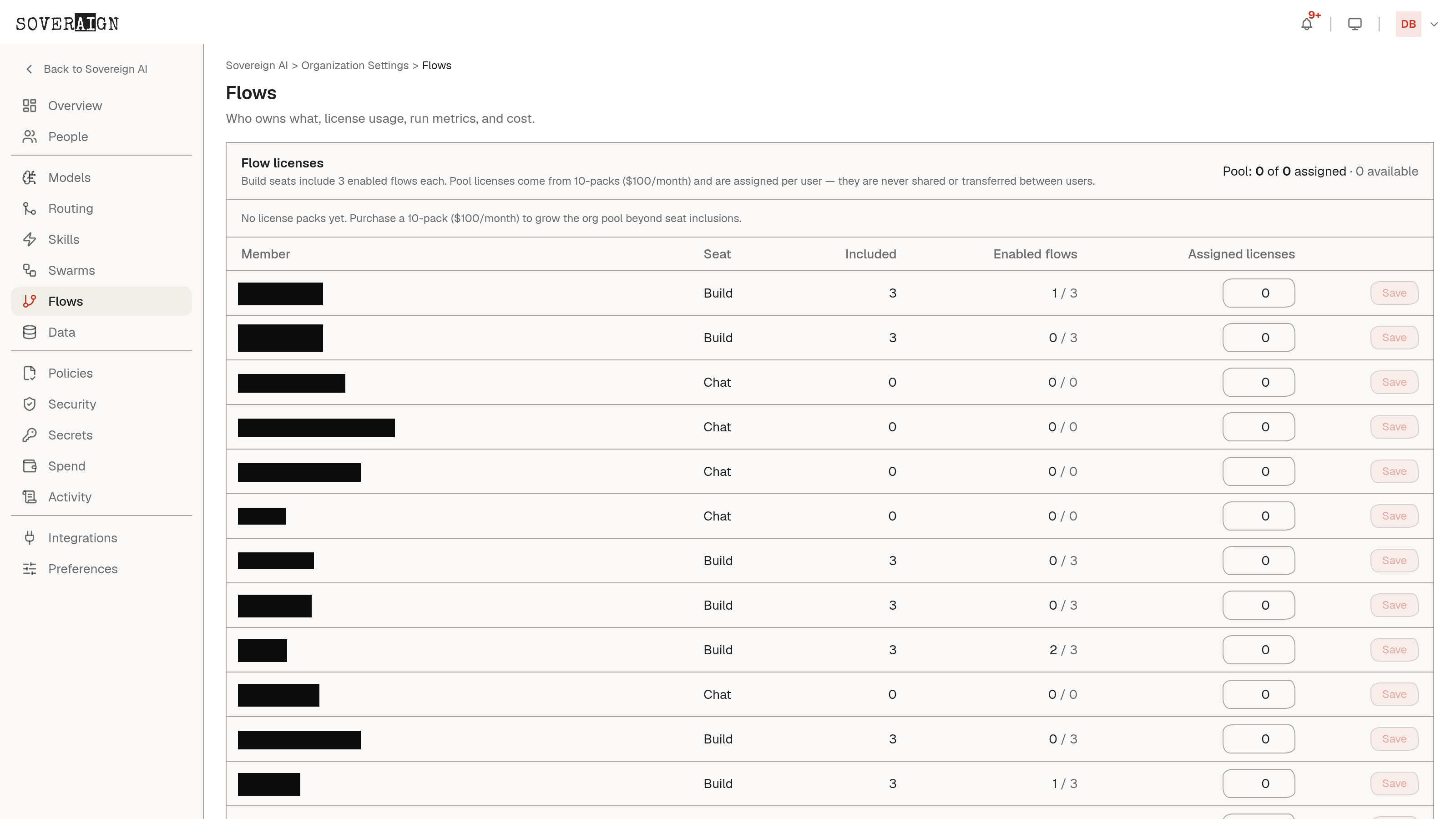
Use Run now to fire a flow immediately and watch nodes execute live on the canvas. The flows list shows every flow with status, category filters, and an enable toggle; disabled flows never fire. Enabled flows are a licensed resource: each Build seat includes a number of enabled flows, orgs add capacity in packs, and admins assign allowances per user. The rules enforce fail-closed: an assignment can never drop below what a user is already consuming without disabling flows first, explicitly.
Schedule triggers carry a per-flow spend cap, so an automation that misbehaves is bounded in dollars, not just in iterations.