The picker
The picker lists the models your org has enabled, grouped by provider with self-hosted models first, then a short strength note per model and its tier: Premium, Standard, or Economy. Picking an enabled model applies instantly to your next message. A search field filters by name or model id when the catalog is long.
Auto is the default posture
The pinned Auto row is not a model: it is a delegation. The client sends the auto sentinel and the server resolves it per request, routing each task to the cheapest capable model. Pin a specific model only when you have a reason to. The same sentinel works for swarm roles, so a role left on Auto rides the same resolution chain, and the editor prints the chain’s current verdict as a receipt so Auto is never a mystery.
Pricing you can trust
When the catalog has real cost data, each row shows per-1M-token input and output pricing. Rows with no catalog cost data show no price at all rather than a misleading $0. Self-hosted models are the one legitimate zero: you run the hardware, so they price at zero, carry a Self-Hosted badge, and show which box serves them.
Health, honestly
Models whose last health probe failed carry an Unreachable badge, because routing work to a dead endpoint should be a visible decision, not a surprise mid-run. Models the org has not enabled render disabled and cannot be picked.
Reasoning effort
For models whose catalog row declares the capability, the picker exposes a reasoning-effort selector with Low, Med, and High. The choice is remembered per model on your device and applied whenever you return to that model. Models without the capability simply never show the control.
What the org admin controls
Only models your org enabled and is paying for ever reach the picker; nothing unapproved shows up.
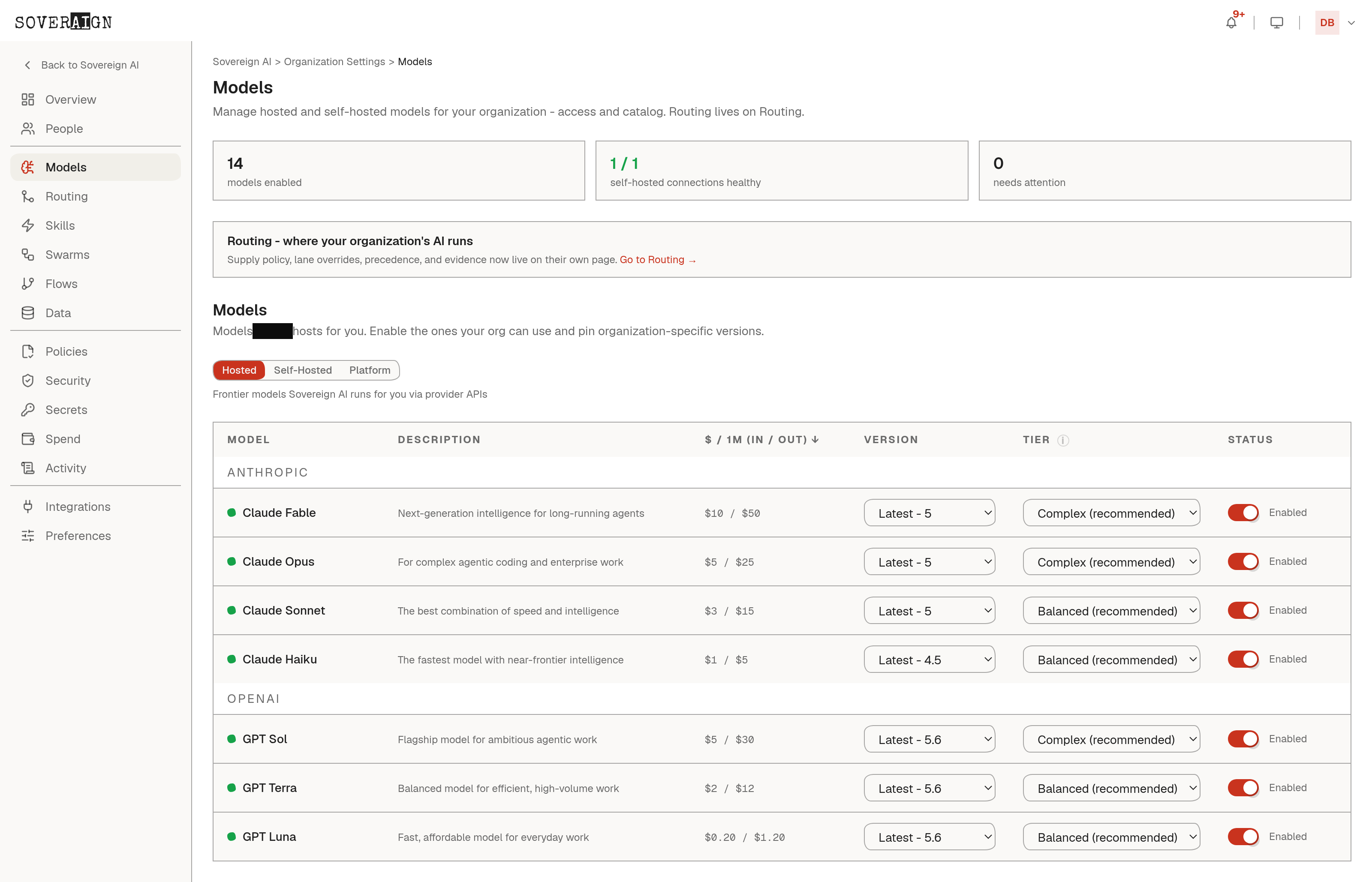
The org decides which catalog models are enabled and whether the Auto router is on. Swarm roles carry their own model assignments, configured on the Agents page and in swarm templates; the chat picker governs chat turns only.