Build it on the canvas
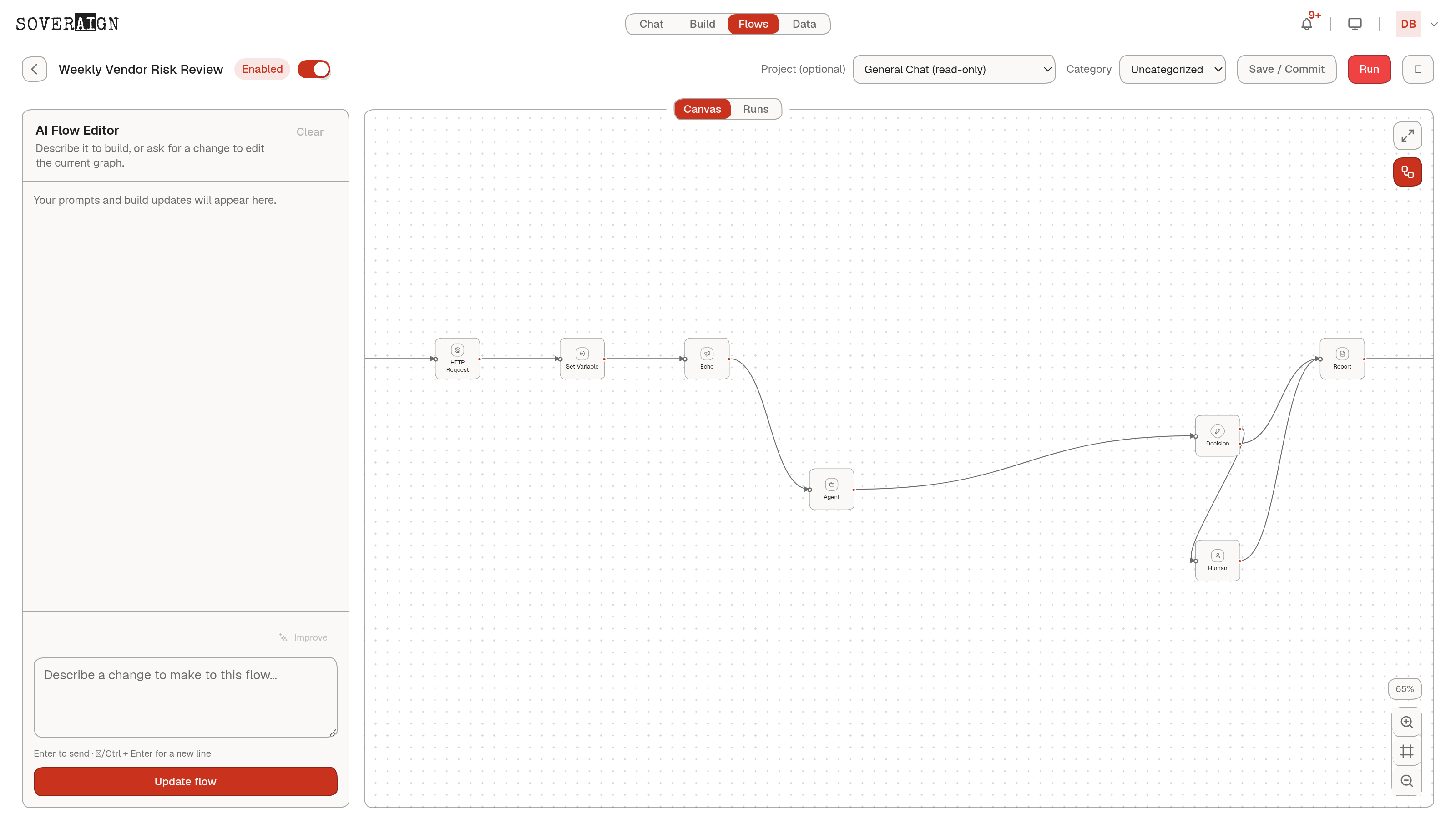
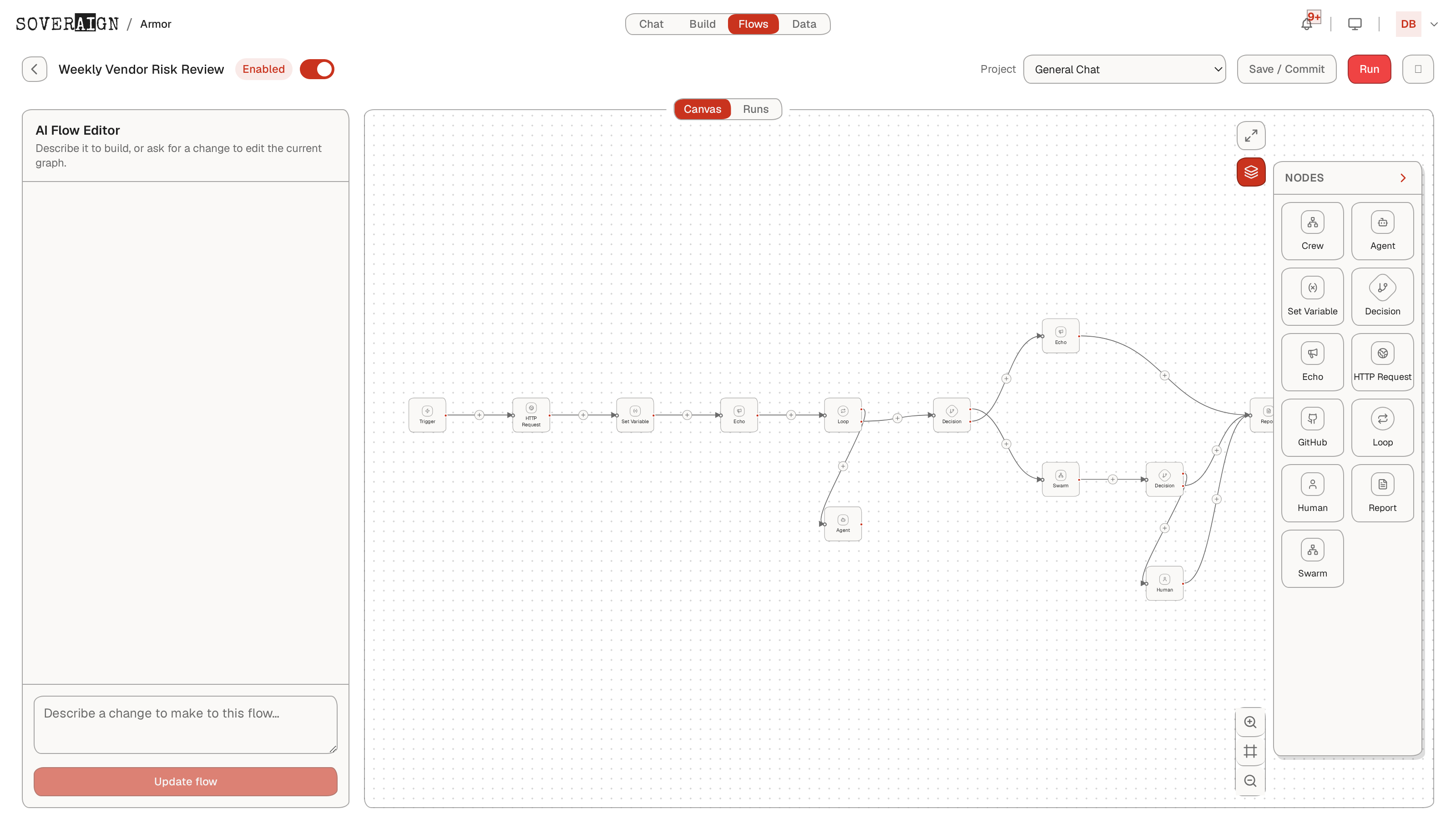
Open Flows and create a new flow. You get a canvas, a node palette, and an AI Flow Editor: describe the job in a sentence and it drafts the graph, or ask it for a change to edit the current graph. Build by hand from the palette when you want control: Crew and Swarm nodes launch multi-agent teams as a step, Agent runs a single role, Set Variable and Echo manage run state and notifications, HTTP Request and GitHub reach external systems, Decision branches on state, Loop repeats over items, Human pauses for sign-off, Report compiles the deliverable.
Keep a human in the loop
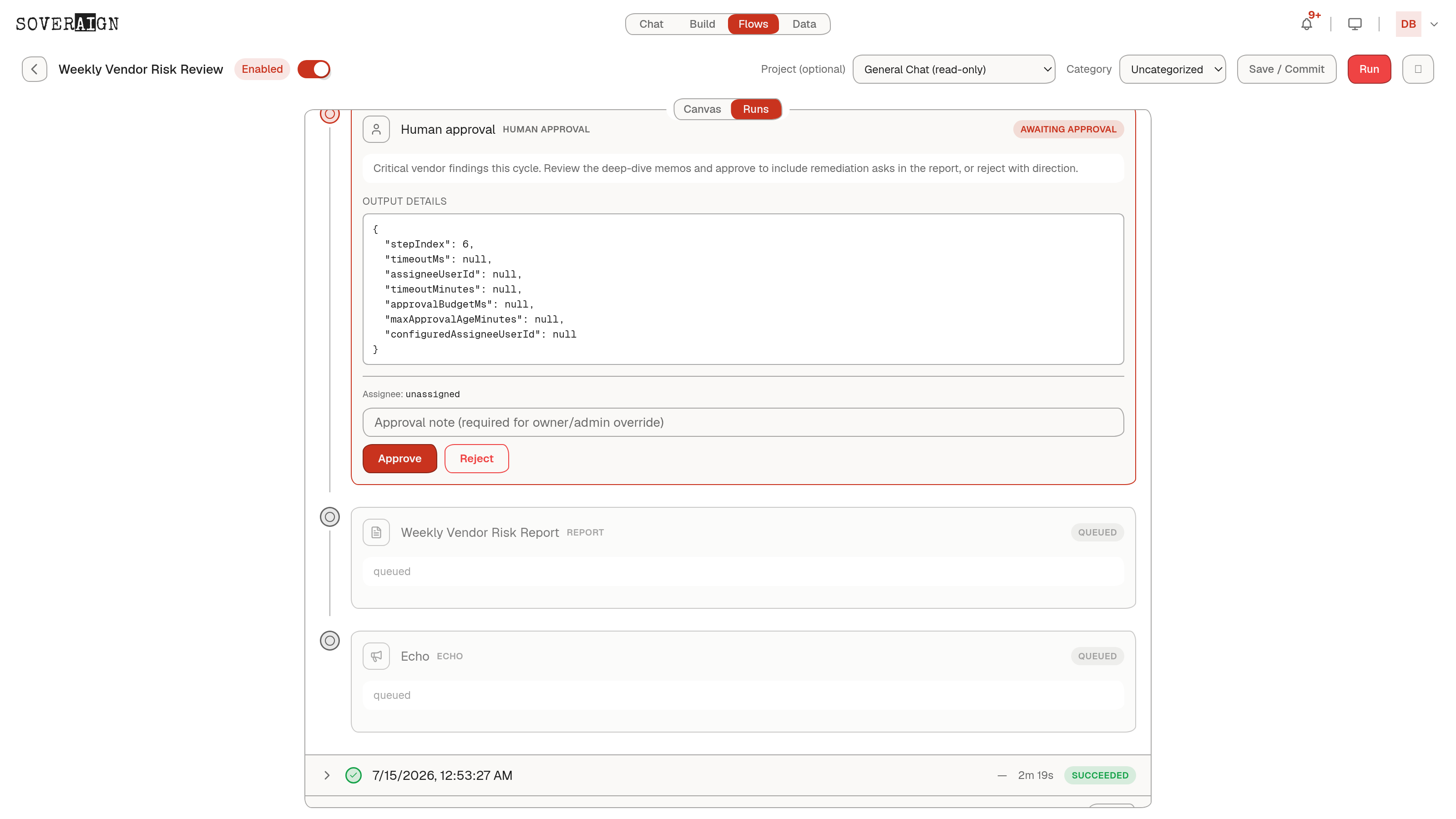
Drop a Human node anywhere a person should sign off. The run pauses at that node, the run badge flips to Awaiting approval, and everything downstream stays queued until someone decides. Decision nodes route without waiting: point one at a state key with an operator (equals, greater than, present, contains) and it branches on what the run actually produced.
Trigger it
- 1Run the flow manually while you are building; every run is inspectable.
- 2When it works, set the trigger to Schedule so it runs itself on a cadence.
- 3Or set it to Event and wire an event source, such as GitHub activity arriving through your organization's connected apps.
Trust it
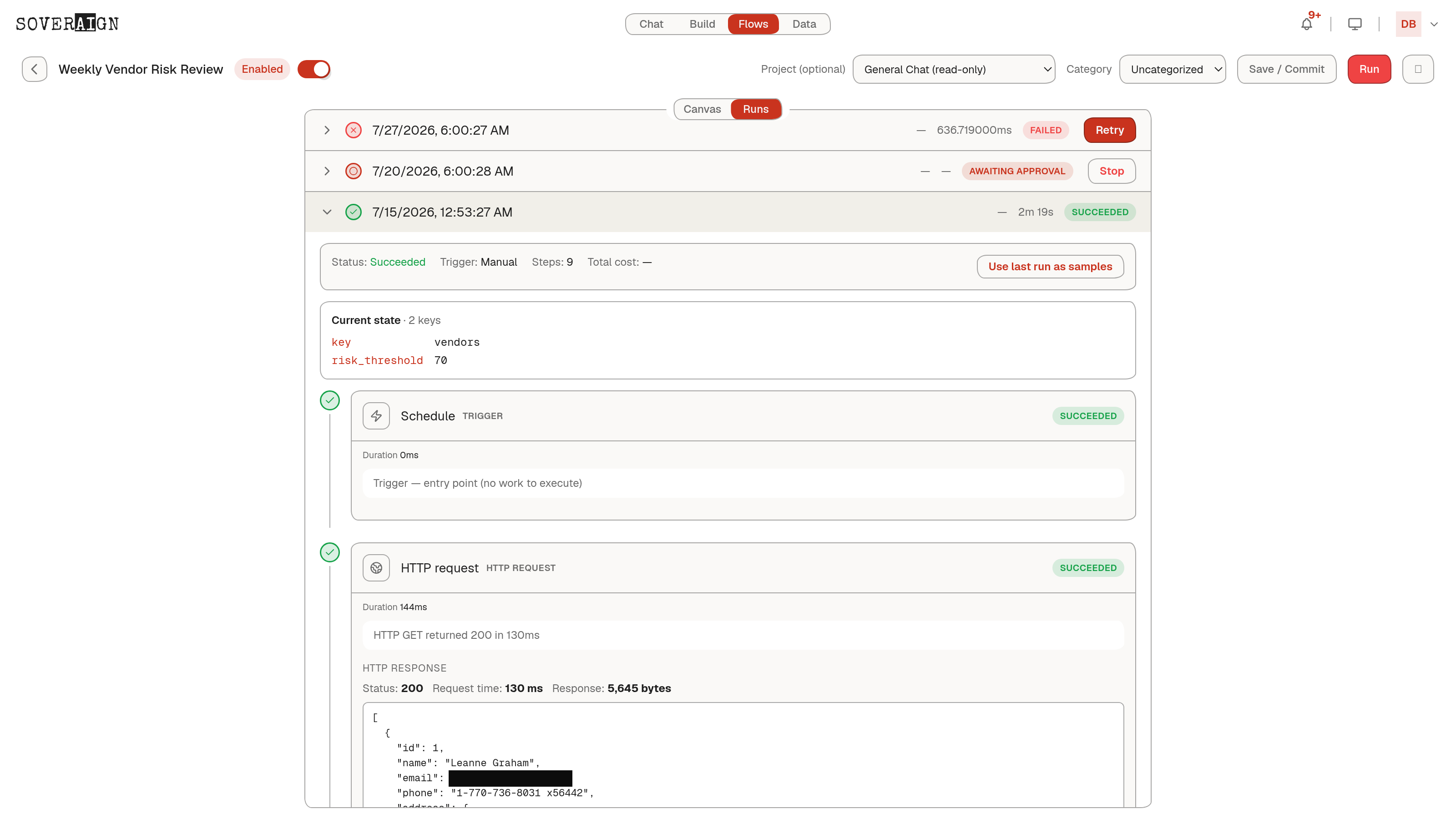
Every run records durable trace events: which node ran, what it produced, what failed and why. "What actually happened" is a record you open, not a memory. The HTTP response bytes, the agent's output, the decision's taken branch, and who approved the gate all sit in the trace, and the report node compiles a per-step receipt into the deliverable itself.
Flows run under the same governance as everything else: content policy applies to agent nodes, and human nodes make approval part of the automation itself.