The Build composer
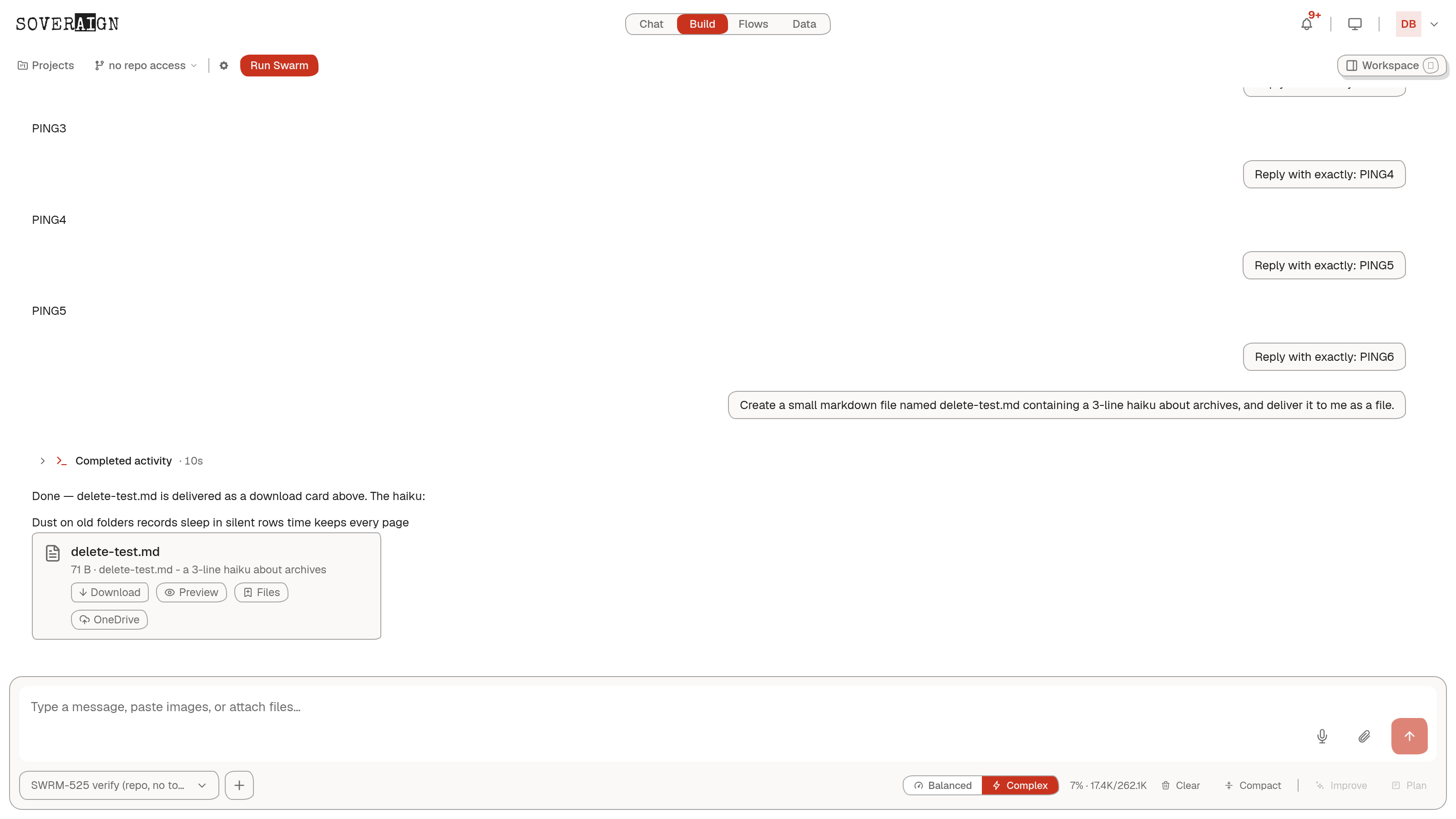
Click Build in the top nav and you land on a chat surface scoped to your active project: the same composer, model picker, Improve, and Plan you get in Chat, plus a visible git branch control (Git settings to switch or configure it) and a Run Swarm action for launching a full crew against the current brief instead of a single turn.
Projects
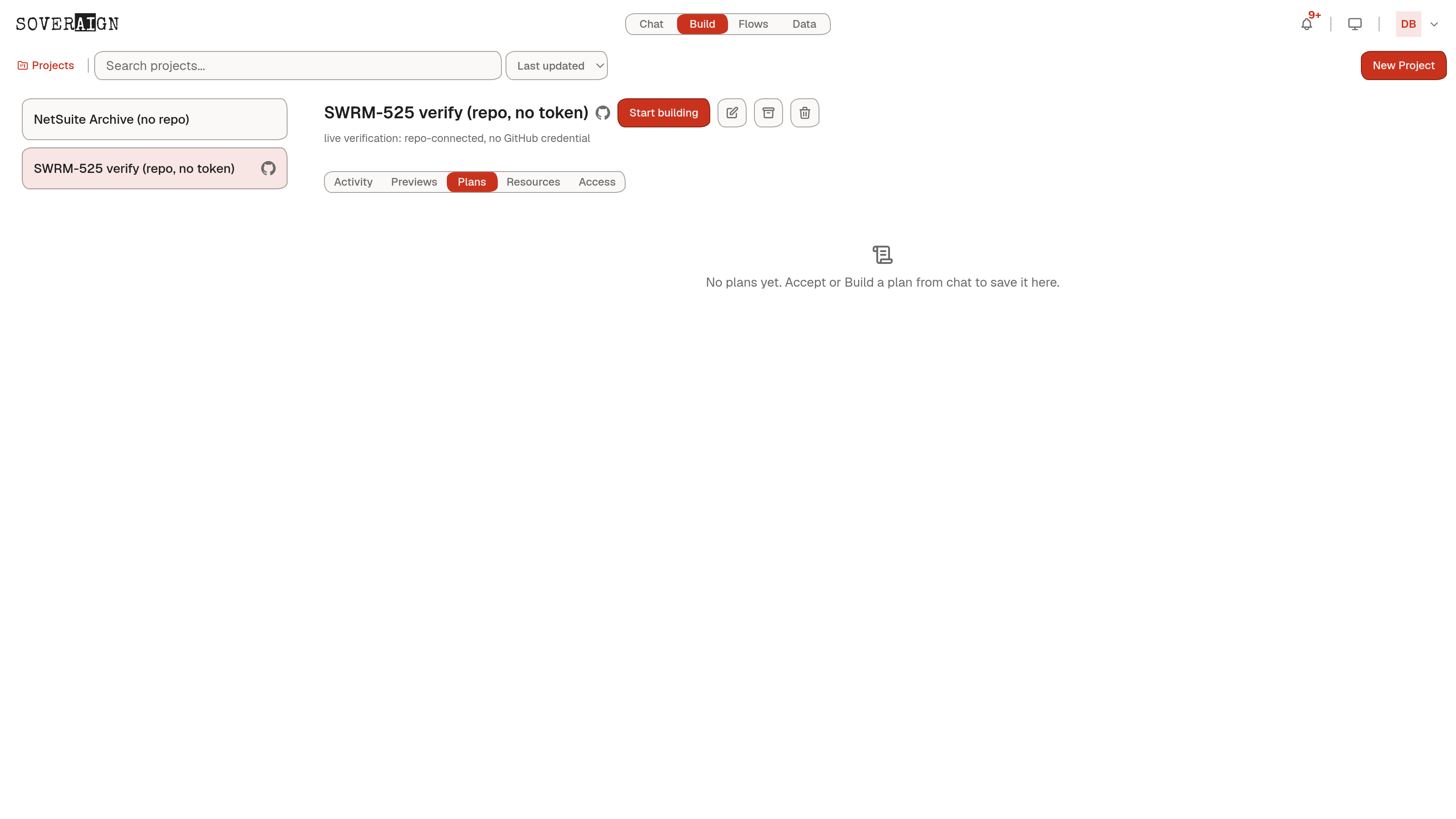
Projects, reachable from the button in the top-left of Build, is the home for every initiative you have open. Selecting a project surfaces its own five-tab workspace: Activity, Previews, Plans, Resources, and Access.
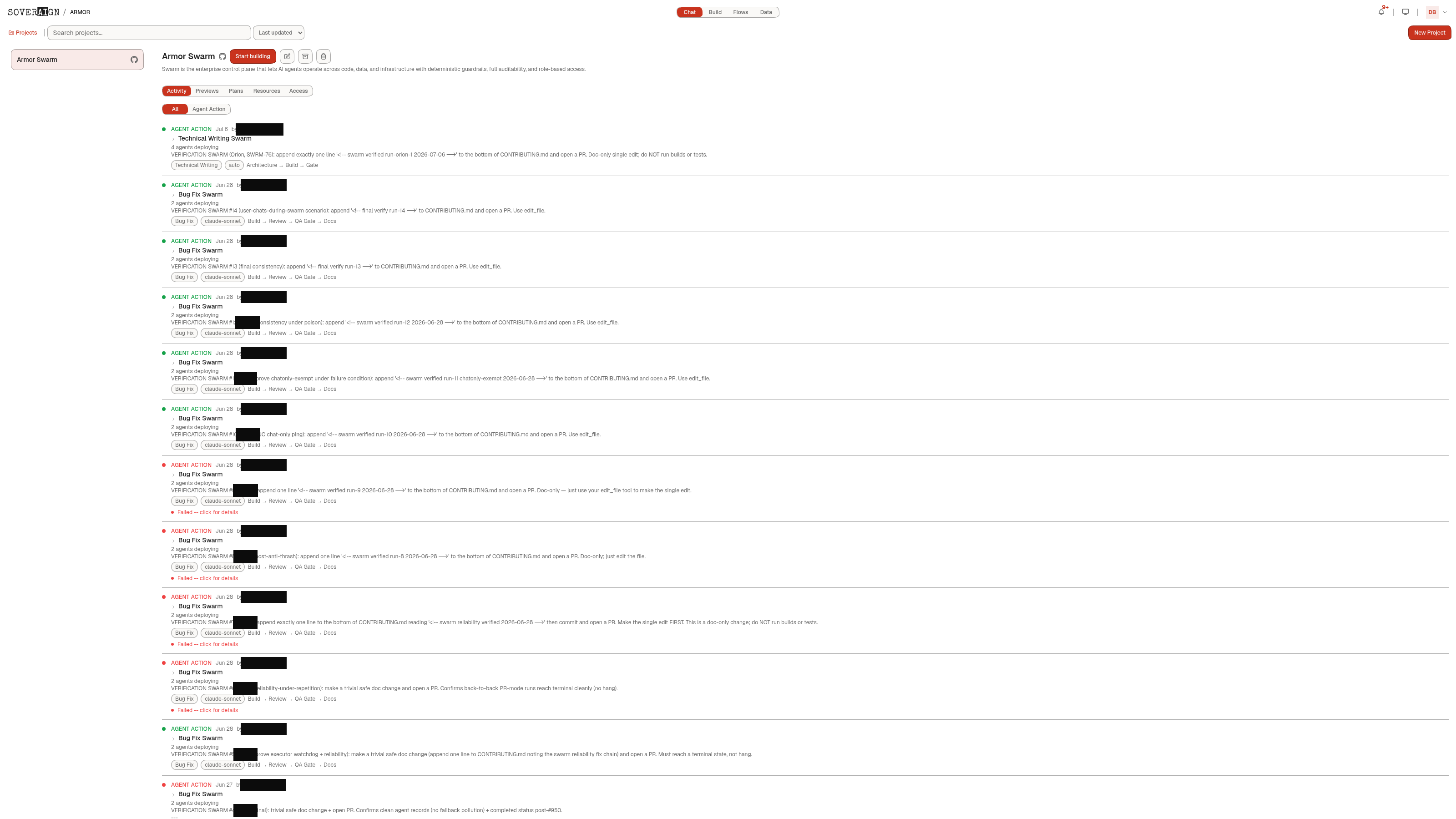
- →Activity: a chronological feed of every agent action against the project - which swarm ran, how many agents deployed, the exact brief it was given, its role and model tags, and whether it succeeded or failed with a click-through to details. This is the project’s own audit trail, not a summary of it.
- →Previews: rendered output for work that produces a visual artifact, reviewed in place before it ships.
- →Plans: every plan document drafted for this project, with the same version lineage the Workspace panel exposes in chat - nothing here is a stripped-down copy of chat’s record.
- →Resources: the files, connections, and other assets scoped to this project rather than the whole org.
- →Access: who can see and act on this project, separate from org-wide roles - a project can be scoped tighter than the org default.
Start building, connect a repo
A project card carries a Start building action and, when a repository is linked, its GitHub badge and an Open in GitHub link. Connecting a repo lets flows and swarms operate against real code under policy, with every action still landing on the Activity feed the same as any other agent run. Commits and pull requests opened from a project carry the same Definition of Done and Oversight trail as a swarm launched from chat, so nothing a project produces lands off the record.
Build is where a brief, a plan, and a swarm run converge on one project record. If you are trying to answer “what actually happened on this initiative,” Activity is the source of truth, not chat history.