What lives there
- →Plans: plan documents produced in plan mode, saved to the project with full version lineage. A plan is never lost to a closed tab or a refreshed page.
- →Files: a session-wide list of every file the agent generated, plus image previews when you click a thumbnail in chat. One place to answer "where did that file go".
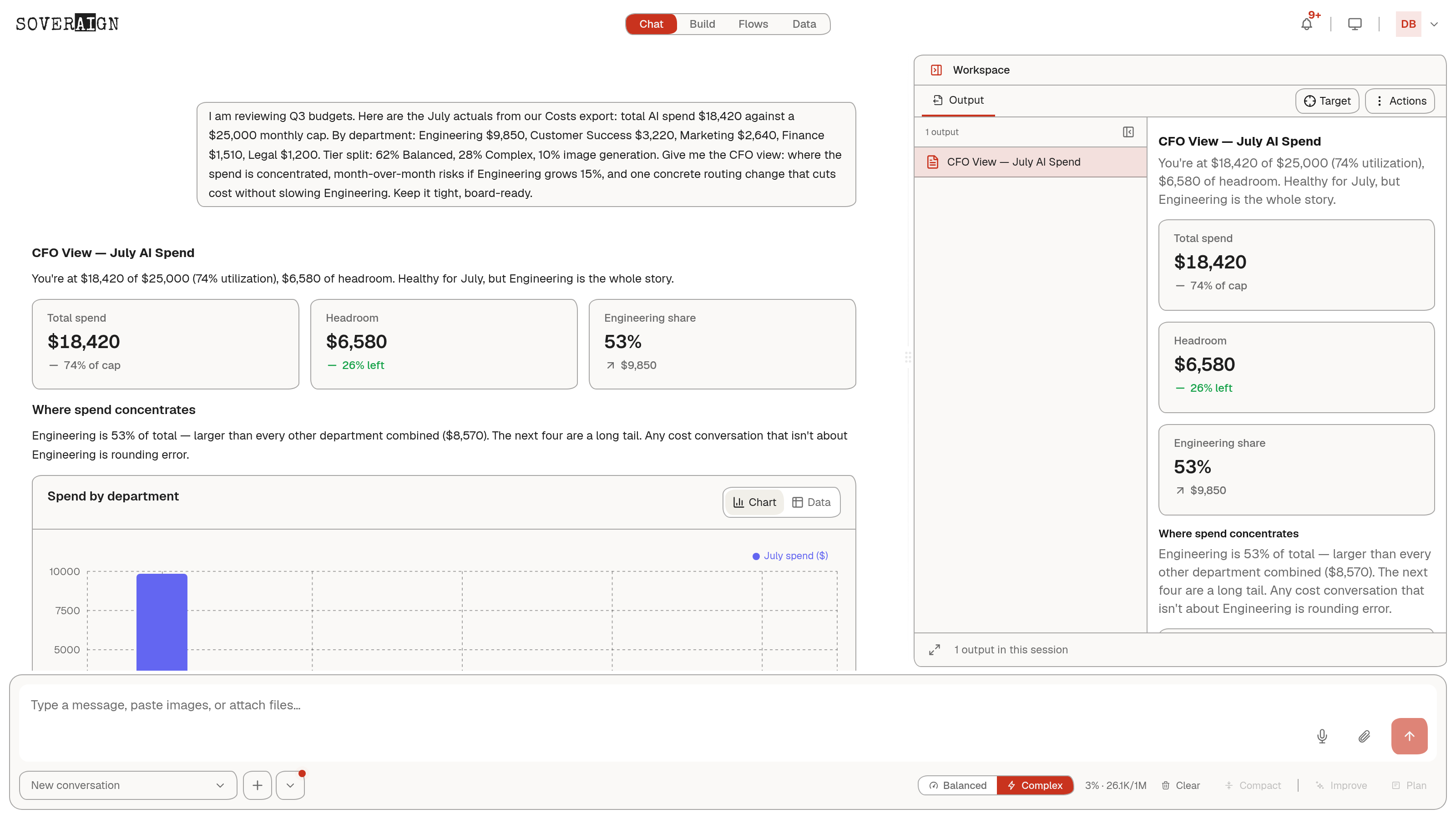
- →Outputs: substantial assistant output lifted into switchable Output tabs, streaming in live as the agent writes. The thread keeps a compact chip; the deliverable gets a real reading surface.
- →Review: the review panel for inspecting proposed changes, streamed as a review document while the agent works.
Why it exists
Chat is a good place to decide and a bad place to read a forty-page briefing. Routing substantial output sideways keeps the conversation scannable and gives documents a surface with real width, tabs, and persistence. When a turn drops a briefing or artifact into the Workspace, the panel opens itself so the reference in chat always points at something visible.
Sizing and shortcuts
Drag the divider to resize, or use the expand toggle to jump the panel to its maximum width and back for long documents. Expansion is derived from the actual width, not a remembered flag, so the toggle always does something visible. The open workspace never shrinks below the width of the plan approval bar, so a gate is never rendered unusable by a narrow panel.
Press W to toggle the Workspace open or closed from anywhere in chat, including the Files and Review tabs. The shortcut never fires while you are typing, and it is inert entirely when the org has the Workspace feature disabled.
Collapse is not close
The collapse control hides the panel and keeps every open tab; reopening restores exactly what you had. The close control removes the workspace and its tabs, and asks for confirmation first, because those are different intents and only one of them is destructive.
What persists
Panel width, open state, and the selected tab persist per project across refreshes. Plans persist to the project itself. Output tabs are rebuilt from the conversation record, so what you see after a reload is what the agent actually produced, not a cached approximation.
What the org admin controls
The Workspace panel is an org feature flag, and auto-routing output into it is a second, separate flag that requires the first. Members can opt out of auto-routing individually unless the org locks the setting. The server enforces the flags: a disabled Workspace gets no routed output even from a stale client.