The library and its states
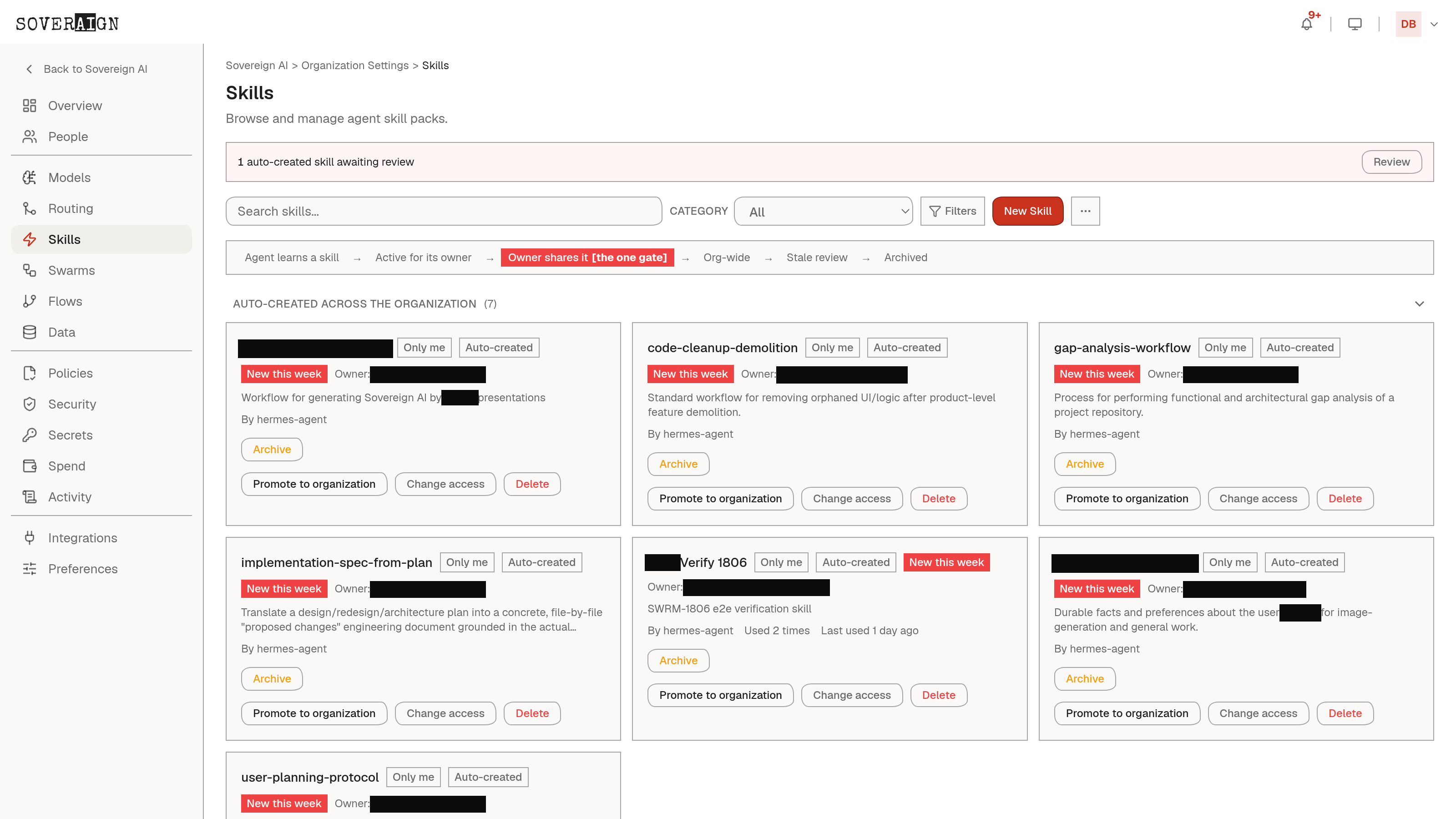
Every skill carries a lifecycle state the page filters by: auto-created skills an agent learned that await review, skills active for their owner, org-wide skills published to everyone, stale reviews, and archived entries. Agents learn skills from real work; nothing an agent taught itself reaches the rest of the org until a person reviews it.
Versions are reviewed too
A published skill does not silently change. When a new version lands, the catalog shows an update pending review on the skill’s card; an admin approves or rejects it, and the version history keeps every prior approval on the record. What agents run is always a version somebody signed.
Locked skills
Some skills are policy, not preference. A locked skill is admin-controlled and always active: it rides into every agent in the org and employees cannot toggle it off. Brand voice, compliance behaviors, escalation rules - the things that must hold everywhere, enforced at the platform rather than by memo.
Brand assets become a skill
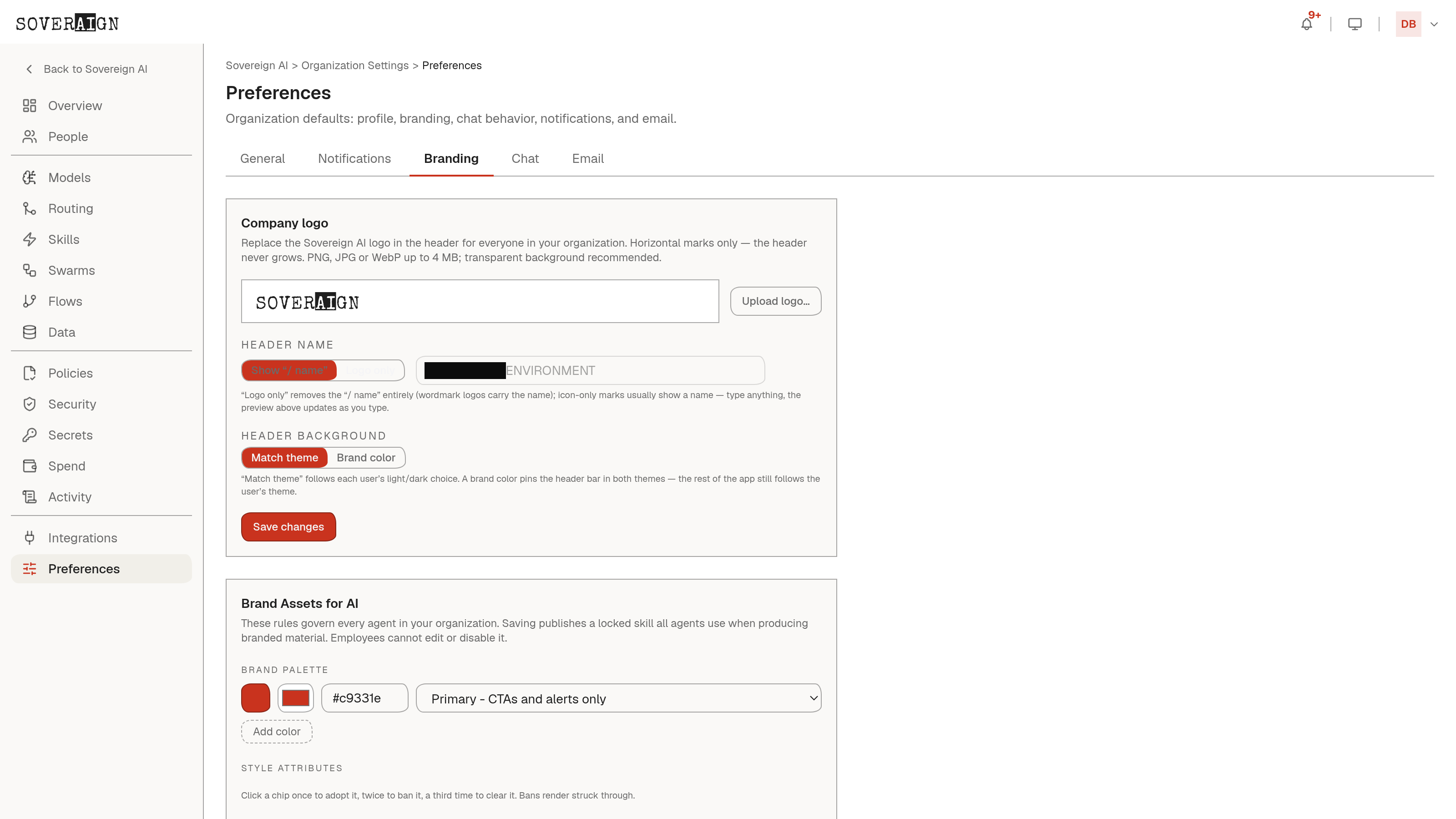
Organization Settings > Preferences > Branding is the working example. Palette, style choices, and typed file uploads (logo variants, deck templates, letterhead, style sheets) with per-file notes compile into a locked Brand skill. Every agent in the org then writes and designs against the same brand truth, and updating the assets updates the skill. Locking it here means one asset update reaches every agent immediately, instead of brand voice drifting agent by agent as marketing assets change piecemeal.
This is the admin surface for the same library documented for end users in the Skills catalog chapter. If a skill is missing from a member’s composer, check whether it is enabled here first.